
|
Do it yourself
| |||
| ||||


How to Reset the Maintenance Lights on a Fiat Ducato Camper
Model: Fiat Fiat Various
Today, with the help of this video tutorial, we will show you how an authorised Fiat workshop resets the maintenance lights. The first step is to remove the fuse box panel located in the glove compartment, along with opening the OBD port panel. Next, the technician connects their PC to the OBD port to diagnose any issues and how to fix them. In the case of our Ducato camper, we found 3 problems. Once the errors, which were false contacts, were identified, the technician begins to clear them using a program on the PC. Once finished, the PC will be disconnected and the previously opened panels will be reassembled.
Updated on 27 July 2026 by ScegliAuto
Video tutorial
Related tutorials
Fiat Fiat Various
The steps to reset the TPMS light on a Fiat vehicle are simple and quick to perform independently, thanks to our short video tutorial. To reset the l…

Fiat Fiat Various
When the service light of the car turns on, it means that we need to perform the car service and then reset the light. Performing the reset of the se…
Fiat Fiat Various
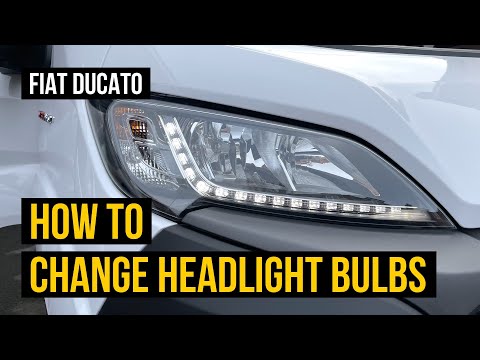
In today's video, you will see how to remove and replace the front headlamp bulb on a Fiat Ducato X290 in simple and quick steps. First, open the bon…
Other guides you may be interested in
|
How to Bleed the Clutch on a Renault Clio?
To bleed the clutch on a Renault Clio, open the bonnet to access the components located in the engine bay: here, you will need to undo the screws that secure the battery in its housing, the intake manifold, and the coolant reservoir. This will allow you to locate the pipe through which the brake fluid flows: by inserting the other end of the pipe into a container, you can press the clutch pedal to expel all the fluid until it fills the container. by ScegliAuto More videos
|
|
For advertising on this site Write to info@scegliauto.com
ScegliAuto is not responsible for any inaccuracy of the data in the lists. To report any inaccuracy or your business (if you own the business in question), please write to info@scegliauto.com
Number of seconds to generate the page: 0.441
(c) ScegliAuto 2026 - info@scegliauto.com - Privacy policy VAT number: IT01247470535 |
