
|
Do it yourself
| |||
| ||||


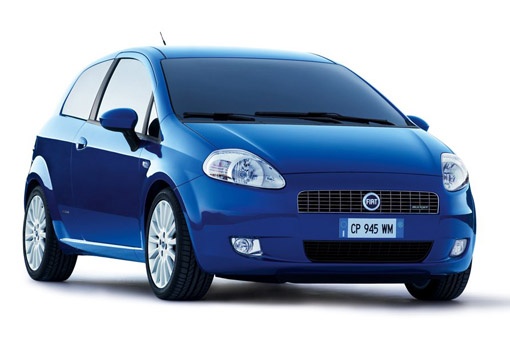
How to Fix the Seatbelt Chime Issue on the Fiat Grande Punto
Model: Fiat Punto
199, MK 3, Grandepunto , Punto EVO
- Years:
2005, 2006, 2007, 2008, 2009, 2010, 2011, 2012, 2013, 2014, 2015, 2016
This video is currently unavailable
In this video, see how to resolve the annoying issue of the seatbelt sensor on the Fiat Grande Punto that keeps sounding. The problem usually relates to the sensor being filled with dust or dirt, causing it to malfunction. Unfortunately, this tiny part is not available as a spare, so the only solution is to clean it thoroughly. Here’s how to do it. First, remove the covers using a heat gun (a regular hairdryer will work fine) to soften the plastic and avoid damaging the covers, which will need to be reused. Use a flat screwdriver to open the inspection window of the sensor, then clean it well with a small brush, using mild solvents. Allow it to dry properly and carefully proceed with reassembly.
Updated on 5 August 2026 by ScegliAuto
Related tutorials
Fiat Punto
(2005-2018 /
199, MK 3, Grandepunto , Punto EVO)
Owners of a Fiat Grande Punto often deal with an annoying problem: the seatbelt chime that sounds continuously even when the seatbelt is fastened. Th…

Fiat Punto
(2005-2018 /
199, MK 3, Grandepunto , Punto EVO)
In this video, discover the procedure that will allow you to resolve the issue of the seatbelt warning chime even when the seatbelt is fastened on th…

Fiat Punto
(2005-2018 /
199, MK 3, Grandepunto , Punto EVO)
If the seatbelt warning chime continues to sound even after fastening the seatbelt, and the warning light remains illuminated on the dashboard, there…
Other guides you may be interested in |
Frequently Asked QuestionsHow to Reset the AdBlue Warning Light on a Peugeot Boxer
To reset the AdBlue system on a 2018 Peugeot Boxer, follow these steps: Start the engine and ensure the vehicle is parked in a well-ventilated area. Locate the "MENU" button on the dashboard or steering wheel controls. Press and hold the "MENU" button until the menu options appear on the display. Use the arrow buttons or scroll wheel to access the "Vehicle Settings" or "Settings" menu. Select the "AdBlue" or "AdBlue System" option. Look for the "Recharge" or "Reset" option in the AdBlue menu. Once you find the reset option, select it and confirm your choice when prompted. The system will be reset, and a confirmation message may appear on the display. Turn off the engine and wait a few seconds. Restart the engine and check that the AdBlue system has been reset. by ScegliAuto More videos
|
|
For advertising on this site Write to info@scegliauto.com
ScegliAuto is not responsible for any inaccuracy of the data in the lists. To report any inaccuracy or your business (if you own the business in question), please write to info@scegliauto.com
Number of seconds to generate the page: 0.022
(c) ScegliAuto 2026 - info@scegliauto.com - Privacy policy VAT number: IT01247470535 |
