
|
Do it yourself
| |||
| ||||


Replacement of Front Brake Discs
Model: Fiat Punto
MK 2, 188
- Years:
1999, 2000, 2001, 2002, 2003, 2004, 2005, 2006, 2007, 2008, 2009, 2010
Video tutorial
Remove the wheel and detach the caliper. Take off the caliper support bracket using a 17 mm ratchet spanner by unscrewing the two rear bolts. Clean with a wire brush to remove most of the accumulated dirt. Using a 12 mm spanner, unscrew the two retaining bolts of the disc while holding it steady. If the disc is stuck, use a rubber mallet and tap it until it is completely free from the hub. Clean the support thoroughly. Apply copper grease around the disc support to prevent seizing due to oxidation or rust. Clean the new discs before installation to remove the protective grease layer. Refit the disc, aligning the fixing holes. Use new bolts for fastening if possible. Tighten the nuts in a criss-cross pattern with a torque wrench to secure it perfectly in place without play. Refit the bracket, cleaning and lubricating the fixing bolts, then tighten them with a torque wrench. Refit the caliper, brake pads, and wheel.
Updated on 2 February 2026 by ScegliAuto
Related tutorials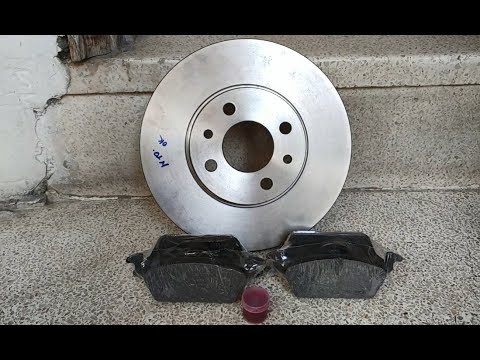
Fiat Punto
(2005-2018 /
199, MK 3, Grandepunto , Punto EVO)
Replace the brake discs and pads located inside the dedicated caliper. Lift the car with a jack, then remove the wheel to access the disc and compone…
Fiat Punto
(2005-2018 /
199, MK 3, Grandepunto , Punto EVO)
This guide outlines the steps to remove and replace the front brake discs on the Fiat Punto Evo, as well as the Grande Punto. First, lift the vehicle…
Fiat Punto
(2005-2018 /
199, MK 3, Grandepunto , Punto EVO)
This guide covers the removal of the front brakes on a Fiat Grande Punto. Remove the wheel to access the brake disc, unscrew the caliper locking bolt…
Other guides you may be interested in
|
How to Reset the Tyre Pressure Warning Light on the Jeep Renegade?
To reset the tyre pressure warning light on the Jeep Renegade, inflate the tyres until they reach the recommended pressure: this value is indicated on the sticker attached to the driver’s door pillar. Once the tyres are properly inflated, navigate through the menu that appears on the instrument cluster until you find the tyre pressure option. At this point, press and hold the OK button on the right side of the steering wheel to make the warning light disappear. by ScegliAuto More videos
|
|
For advertising on this site Write to info@scegliauto.com
ScegliAuto is not responsible for any inaccuracy of the data in the lists. To report any inaccuracy or your business (if you own the business in question), please write to info@scegliauto.com
Number of seconds to generate the page: 0.026
(c) ScegliAuto 2026 - info@scegliauto.com - Privacy policy VAT number: IT01247470535 |
