
|
Do it yourself
| |||
| ||||


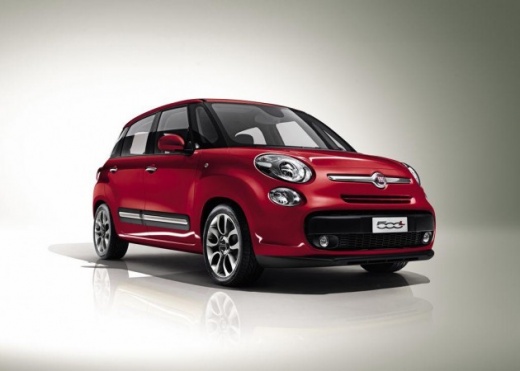
How to Change the Language on the Fiat 500 L On-Board Computer
Model: Fiat 500
500 L
- Years:
2012, 2013, 2014, 2015, 2016, 2017, 2018, 2019, 2020, 2021, 2022, 2023
Video tutorial
Changing the language on a Fiat 500 L is a simple task you can do yourself. This will be useful if you rent this vehicle in a foreign country or if you rent it out to foreigners and want to set their language on the on-board computer. Turn on the instrument cluster and the on-board computer, then press the SETTINGS button on the computer. From the settings menu, select "MONITOR", then choose "LANGUAGE" and select your preferred option. Turn off the on-board computer or the cluster to complete the language change.
Updated on 17 October 2026 by ScegliAuto
Related tutorials
Fiat 500
(2007-2024 /
312)
.. how to perform a factory data reset on the on-board computer of the Fiat 500. To perform the reset, we need to turn on the instrument panel and press.. …

Fiat 500
(2007-2021 /
312)
Discover in this brief guide how to change the language of the Fiat 500 instrument cluster in simple and quick steps. First, get in the vehicle and t…

Fiat 500
(2007-2024 /
312)
In this tutorial, you will learn how to change the system language on the Fiat 500, a very simple and quick operation, for example, after a change of…
Other guides you may be interested in |
How to reset the tyre pressure warning light on the Dacia Sandero?
The tyre pressure warning light that appears on the instrument cluster of the Dacia Sandero can be reset by inflating the tyres until they reach the correct pressure value: this value is indicated on the sticker attached to the driver’s door pillar. Once the inflation is complete, navigate through the menu that appears on the instrument cluster to find the option related to the tyres: select this with the OK button, which should then be held down for a few seconds to completely turn off the light. by ScegliAuto More videos
|
|
For advertising on this site Write to info@scegliauto.com
ScegliAuto is not responsible for any inaccuracy of the data in the lists. To report any inaccuracy or your business (if you own the business in question), please write to info@scegliauto.com
Number of seconds to generate the page: 0.027
(c) ScegliAuto 2026 - info@scegliauto.com - Privacy policy VAT number: IT01247470535 |
