
|
Do it yourself
| |||
| ||||


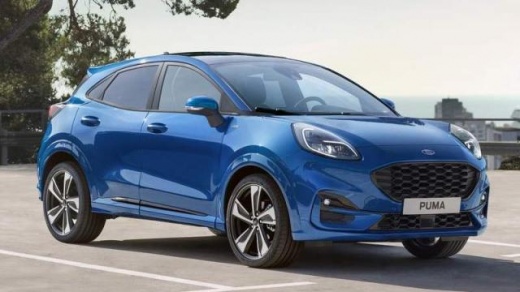
How does Ford Sync 4 work?
Model: Ford Puma
MK 1
- Years:
2019, 2020, 2021, 2022, 2023, 2024, 2025, 2026
Video tutorial
In this video we can see how the new Sync 4 works, in this case on the Puma. We start from the "home" screen where we have the navigator function, where we can search for any address; we return to the home screen where we can select the audio sources, and then assign a station to each button by holding the button down for a few seconds; we can then select various audio settings. Going back to the home screen, we move on to the phone section, pairing our device with the car very simply by activating the Bluetooth connection. In the settings we have a general summary, where under vehicle we have a series of general settings that we can select according to our preferences; going back we find the clock, which we can adjust; display settings; we can activate the Wi-Fi hotspot to have a Wi-Fi source inside the car; various mobile phone applications; software updates, which we can keep automatic. Ford assistant settings are the settings of the Sync 4 voice assistant, to which we can also pair Alexa. In the functions there are the possibility to select various driving modes; various assisted driving features; the possibility to open the tailgate from the inside and the user manual accessible from the screen. In the applications we find AppleCarPlay or AndroidAuto, in Wi-Fi.
Posted on 29 December 2024 by ScegliAuto
Related tutorials
Ford Puma
(2019-2026 /
MK 1)
In this video, you can see where the fuse boxes of the Ford Puma are located and their respective diagrams, useful if you need to replace the fuse of…

Ford Puma
(2019-2026 /
MK 1)
Learn how to start a Ford Puma in an emergency when the remote battery is flat. Locate the hidden key slot: a small recess or slot near the steering …

Ford Puma
(2019-2026 /
MK 1)
Let's see how to open the Ford Puma's door with a non-functioning remote battery. We have an emergency key inside the remote itself, and a physical l…
Other guides you may be interested in
|
How to Open the Fuel Flap on a Volkswagen Tiguan?
To open the fuel flap on a Volkswagen Tiguan, first unlock the car using the appropriate button on the remote. This will open the car and unlock the mechanism that controls the fuel flap. At this point, apply light pressure to the left side of the flap to open it and access the cap underneath. Once this is unscrewed, you can refuel and then close everything. by ScegliAuto More videos
|
|
For advertising on this site Write to info@scegliauto.com
ScegliAuto is not responsible for any inaccuracy of the data in the lists. To report any inaccuracy or your business (if you own the business in question), please write to info@scegliauto.com
Number of seconds to generate the page: 0.110
(c) ScegliAuto 2026 - info@scegliauto.com - Privacy policy VAT number: IT01247470535 |
