
|
Do it yourself
| |||
| ||||


How to Open the Fuel Cap on a Ford Transit
Model: Ford Transit
MK 8
- Years:
2014, 2015, 2016, 2017, 2018, 2019, 2020, 2021, 2022, 2023, 2024
Video tutorial
The selected tutorial video shows how to open the fuel flap on a Ford Transit vehicle. Many recent Ford Transits use the Easy Fuel system, so the location of the fuel flap is not the traditional one used in other vehicles. First, unlock the vehicle doors, as the fuel filler neck is locked when the vehicle is closed. Once the doors are unlocked, you can manually open the fuel flap from the outside (there are no internal release buttons); it is located on the left side of the vehicle, on the driver's side.
Posted on 12 February 2026 by ScegliAuto
Related tutorials
Ford Transit
(2014-2024 /
MK 8)
To reset the AdBlue warning light on the Ford Transit, you need to top up the additive liquid by adding the required amount into its tank: to do this…
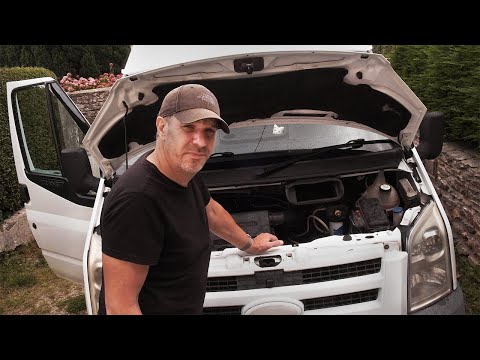
Ford Transit
(2006-2014 /
MK 7)
To replace the diesel filter on a Ford Transit, open the bonnet to access the components inside: you will need to remove the air filter box so that a…

Ford Transit
(2014-2024 /
MK 8)
Today we will discover the steps that will allow us to disassemble and replace the diesel fuel filter cartridge of the Ford Transit 2.2 TDCi. First o…
Other guides you may be interested in
|
How to Reset the Tyre Pressure Warning Light on the Jeep Renegade?
To reset the tyre pressure warning light on the Jeep Renegade, inflate the tyres until they reach the recommended pressure: this value is indicated on the sticker attached to the driver’s door pillar. Once the tyres are properly inflated, navigate through the menu that appears on the instrument cluster until you find the tyre pressure option. At this point, press and hold the OK button on the right side of the steering wheel to make the warning light disappear. by ScegliAuto More videos
|
|
For advertising on this site Write to info@scegliauto.com
ScegliAuto is not responsible for any inaccuracy of the data in the lists. To report any inaccuracy or your business (if you own the business in question), please write to info@scegliauto.com
Number of seconds to generate the page: 0.044
(c) ScegliAuto 2026 - info@scegliauto.com - Privacy policy VAT number: IT01247470535 |
