
|
Do it yourself
| |||
| ||||


How to Replace the Front Brake Pads on a Ford Focus?
Model: Ford Focus
- Years:
2004, 2005, 2006, 2007, 2008, 2009, 2010, 2011
Video tutorial
In this tutorial, see how to replace the front brake pads on a Ford Focus, a very straightforward operation. First, lift the side you will be working on, taking the necessary safety precautions, then unscrew the brake fluid cap, remove the wheel, and detach the indicated metal clip. Next, compress the piston using a flat-head screwdriver, unscrew the two rear bolts with a 7mm hex key, and remove the old pads. Now, clean the caliper of any dirt residue, insert the replacements, and reassemble everything following the reverse procedure.
Posted on 25 October 2026 by ScegliAuto
Related tutorials
Ford Focus
(1998-2004 /
MK 1)
In this video, see how to replace the brake pads on a Ford Focus MK1: first, open the bonnet and remove the cap from the brake fluid reservoir, then …
Ford Focus
(2004-2011 /
MK 2, Focus 2)
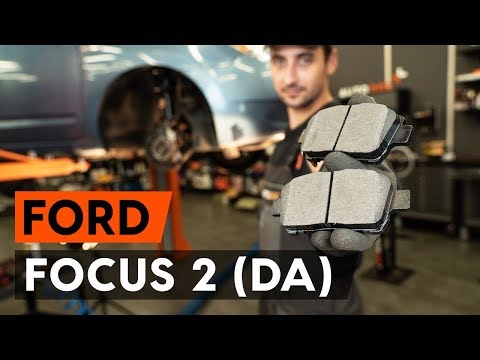
This brief video tutorial shows how to replace the front brake pads on a second-generation Ford Focus, produced from 2004 to 2011. First, lift the fr…

Ford Focus
(2018-2025 /
MK 4)
To clear the brake wear light on a Ford Focus, first replace the brake pads, ensuring that the new ones are fitted into the calipers. Once the new pa…
Other guides you may be interested in
|
How to Open the Bonnet of the Mitsubishi L 200
In this brief and simple guide, follow these quick steps to open the bonnet of the Mitsubishi L 200. First, open the front door on the driver's side and pull the release lever for the bonnet lock. Next, move to the front of the vehicle and disengage the lock lever to open it. The bonnet will be held up by hydraulic struts; to close it, push the bonnet down and apply pressure to secure it properly! by ScegliAuto More videos
|
|
For advertising on this site Write to info@scegliauto.com
ScegliAuto is not responsible for any inaccuracy of the data in the lists. To report any inaccuracy or your business (if you own the business in question), please write to info@scegliauto.com
Number of seconds to generate the page: 0.114
(c) ScegliAuto 2026 - info@scegliauto.com - Privacy policy VAT number: IT01247470535 |
