
|
Do it yourself
| |||
| ||||



How to Remove the Instrument Cluster on a Ford Focus 3
Model: Ford Focus
MK 3
- Years:
2011, 2012, 2013, 2014, 2015, 2016, 2017, 2018
Video tutorial
In today's video, you will learn how to remove the instrument cluster from a third-generation Ford Focus, following the instructions below. First, get inside the car and remove the fabric cover that conceals the steering column by unclipping it; then, unscrew the fastening screws of the instrument cluster located underneath. At this point, you can gently extract the cluster; once removed, simply disconnect the electrical cables found at the back by pressing on the tabs. Apply the reverse procedure for reassembly!
Updated on 6 April 2026 by ScegliAuto
Related tutorials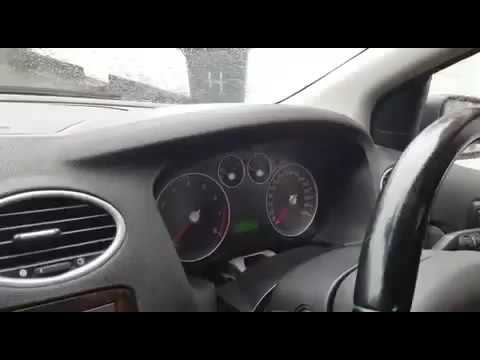
Ford Focus
(2004-2011 /
MK 2, Focus 2)
How to remove the instrument cluster from a Ford Focus? Let’s see how to remove the piece in the video. Lower the steering wheel to access the securi…

Ford Focus
(2004-2011 /
MK 2, Focus 2)
In this tutorial we can see how to disassemble the instrument panel in the Ford Focus, an extremely simple and quick operation. First of all, make su…

Ford Focus
(2004-2011 /
MK 2, Focus 2)
This video demonstrates how to remove and replace the spark plugs on a Ford Focus. Open the engine bay, lift the front bonnet, and secure it with the…
Other guides you may be interested in |
How to Reset the Tire Pressure Light on a MG ZS?
On the instrument cluster of the MG ZS, the tire pressure light that appears can be reset by inflating the tires to the correct pressure: this value will be indicated on the sticker attached to the driver's door pillar. Once the tires have been properly inflated, you can turn on the instrument cluster and navigate through the menu until you find the option that indicates tire pressure: if this screen shows the new values, the light will turn off; otherwise, you will need to drive for a few miles so that the sensors can read the new values and turn off the light afterward. by ScegliAuto More videos
|
|
For advertising on this site Write to info@scegliauto.com
ScegliAuto is not responsible for any inaccuracy of the data in the lists. To report any inaccuracy or your business (if you own the business in question), please write to info@scegliauto.com
Number of seconds to generate the page: 0.018
(c) ScegliAuto 2026 - info@scegliauto.com - Privacy policy VAT number: IT01247470535 |
