
|
Do it yourself
| |||
| ||||


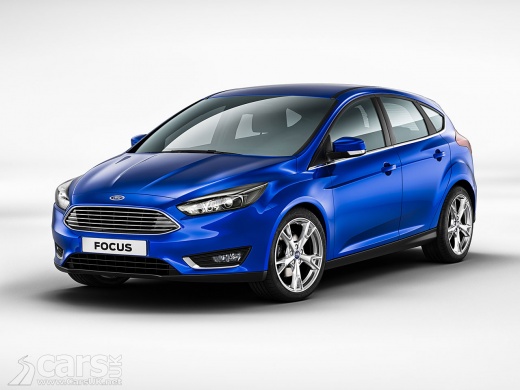
How to Reset the Inertia Switch on a Ford Focus
Model: Ford Focus
MK 3
- Years:
2011, 2012, 2013, 2014, 2015, 2016, 2017, 2018
Video tutorial
Before you begin, sit in the front seat of your Ford Focus. Start by inserting the key into the ignition switch and turning it as if you were starting the engine. Keep the key in the start position for 30 seconds, then turn everything off. After this, wait another 30 seconds with the instrument panel off. Once the 30 seconds have passed, remove the ignition key from the switch, then reinsert it. At this point, start the engine several times until it stays on, and you will have completed the reset.
Updated on 11 April 2026 by ScegliAuto
Related tutorials
Ford Focus
(2011-2018 /
MK 3)
After a collision, the engine generally cannot be started because a special device, called the inertia switch, disables the fuel pump. This is a safe…

Ford Focus
(2011-2018 /
MK 3)
In this video tutorial, you will learn how to remove and replace the brake light switch on a third-generation Ford Focus by following these simple st…

Ford Focus
(1998-2004 /
MK 1)
In this brief guide, you will learn how to remove the fuel switch on a first-generation Ford Focus; this operation is typically performed right after…
Other guides you may be interested in
|
Frequently Asked QuestionsHow to Set the Time in an Audi A4?
In this tutorial, you will see how to set the time in an Audi A4, a very simple and quick operation to perform after replacing the battery or when the time changes. First, insert the key and turn on the instrument cluster. Then, press the "SETUP" button located on the center console. Next, press the upper left arrow button, navigate to the "Time" option, and use the central knob to adjust the clock. Finally, set any necessary formats and save by returning to the main screen. by ScegliAuto More videos
|
|
For advertising on this site Write to info@scegliauto.com
ScegliAuto is not responsible for any inaccuracy of the data in the lists. To report any inaccuracy or your business (if you own the business in question), please write to info@scegliauto.com
Number of seconds to generate the page: 0.125
(c) ScegliAuto 2026 - info@scegliauto.com - Privacy policy VAT number: IT01247470535 |
