
|
Do it yourself
| |||
| ||||


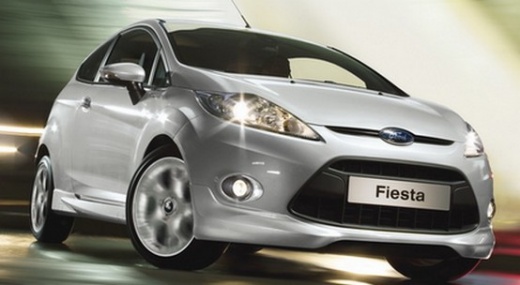
Removing the Centre Console on the Fiesta
Model: Ford Fiesta
Fiesta 6, MK VI, MK 6
- Years:
2008, 2009, 2010, 2011, 2012, 2013, 2014, 2015, 2016, 2017
Video tutorial
You will see the removal of the centre console of a Ford Fiesta with all the associated parts. To begin, detach the protective trim around the gear lever, then move to the top of the dashboard. Use plastic levers to detach the cover under the radio: remove the piece and the nearby plastics. Remove the knob from the top of the gear lever to allow the removal of the plastics of the centre tunnel. Remove all cover pieces from the centre tunnel up to the radio: unlock the retaining clips located behind the plastics. Finally, disconnect the electrical connectors located behind the controls.
Updated on 16 April 2026 by ScegliAuto
Related tutorials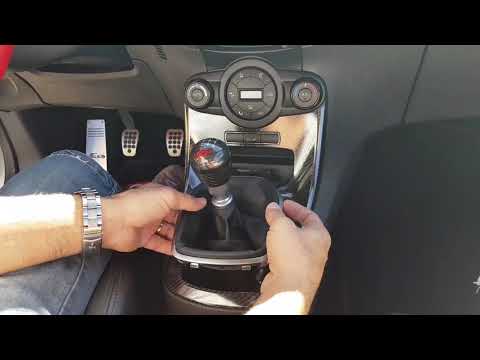
Ford Fiesta
(2008-2017 /
Fiesta 6, MK VI, MK 6)
To remove the centre console cover of the dashboard, first extract the gear lever gaiter by unclipping the frame at the base and then lifting the gai…
Ford Fiesta
(2017-2023 /
MK 7, MK VII, Fiesta 7)
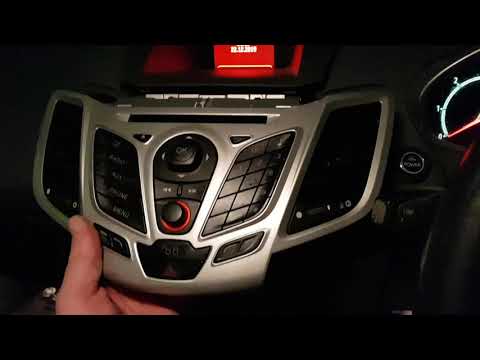
To carry out this operation, you need a plastic trim tool to pry in the various gaps and remove the panels. Start from the upper area of the centre c…
Ford Fiesta
(2002-2008 /
MK V, MK 5, Fiesta 5)
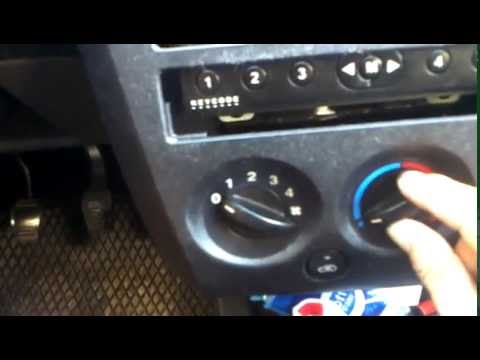
Removing a part of the dashboard of the vehicle may seem like a complex operation that requires a lot of time and effort; however, this operation is …
Other guides you may be interested in |
How to Activate the Automatic Folding and Unfolding of the Wing Mirrors on the Jeep Compass
Follow these brief instructions to activate the automatic folding and unfolding of the external wing mirrors on the Jeep Compass. First, get inside the vehicle and turn on the ignition; then press the button located beneath the mirror glass adjustment to electrically open the mirror, as shown in the video. Pressing the button in the opposite direction will close the mirrors; by holding the button, the mirrors will open and close automatically! by ScegliAuto More videos
|
For advertising on this site Write to info@scegliauto.com
ScegliAuto is not responsible for any inaccuracy of the data in the lists. To report any inaccuracy or your business (if you own the business in question), please write to info@scegliauto.com
Number of seconds to generate the page: 0.021
(c) ScegliAuto 2026 - info@scegliauto.com - Privacy policy VAT number: IT01247470535 |
