
|
Do it yourself
| |||
| ||||


How to Replace the Key Battery on a Ford Focus
Model: Ford Focus
MK 2, Focus 2
- Years:
2004, 2005, 2006, 2007, 2008, 2009, 2010, 2011
Video tutorial
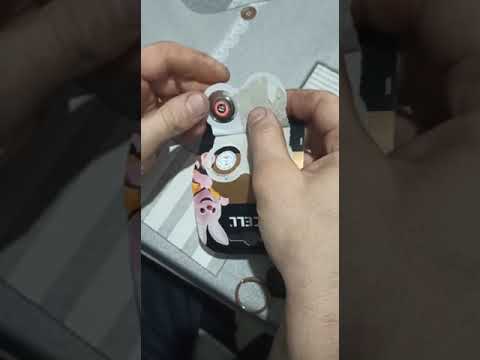
Start by inserting the tip of a small flathead screwdriver into the slot on the back of the key to extract and remove the physical key section of your Ford Focus. Next, using a flathead screwdriver and leveraging it, unclip the clips that secure the back of the key, then remove the back cover. This will give you access to the exhausted key battery. Proceed to remove the battery from its housing, completing the disassembly. To fit the new battery and close the key, follow these steps in reverse, and the replacement will be finished.
Updated on 18 April 2026 by ScegliAuto
Related tutorials
Ford Focus
(2011-2018 /
MK 3)
Start by inserting a thin but sturdy tool into the slot on the side of your Ford Focus key to pry it open. Next, you will need to unclip and remove t…
Ford Focus
(2011-2018 /
MK 3)
When the remote for your Ford Focus stops working, the cause is almost always a flat battery. To replace the remote battery of a Ford Focus, you must…

Ford Focus
(2011-2018 /
MK 3)
Today we will explain how to replace the battery of the remote/key of a Ford Focus vehicle, produced from 2011 to 2018. Throughout the operation, we …
Other guides you may be interested in
|
How to Activate the Automatic Folding and Unfolding of the Wing Mirrors on the Jeep Compass
Follow these brief instructions to activate the automatic folding and unfolding of the external wing mirrors on the Jeep Compass. First, get inside the vehicle and turn on the ignition; then press the button located beneath the mirror glass adjustment to electrically open the mirror, as shown in the video. Pressing the button in the opposite direction will close the mirrors; by holding the button, the mirrors will open and close automatically! by ScegliAuto More videos
|
|
For advertising on this site Write to info@scegliauto.com
ScegliAuto is not responsible for any inaccuracy of the data in the lists. To report any inaccuracy or your business (if you own the business in question), please write to info@scegliauto.com
Number of seconds to generate the page: 0.113
(c) ScegliAuto 2026 - info@scegliauto.com - Privacy policy VAT number: IT01247470535 |
