
|
Do it yourself
| |||
| ||||


How to access the secret menu of a Ford Sony 6000CD car stereo?
Model: Ford Ford Various
In order to access the secret menu of a Sony 6000CD car stereo of a Ford car, you have to go to the instrument panel and then the car radio. In order to access the secret radio menu, also known as service mode, you must hold down buttons 1 and 6 simultaneously for a few seconds. In this way, screens will appear on the display and information about the device, such as its device, will be made known. serial number, which may be useful for obtaining the unlock code. To exit the secret menu, simply turn the device off and on again.
Posted on 15 October 2022 by ScegliAuto
Video tutorial
Related tutorials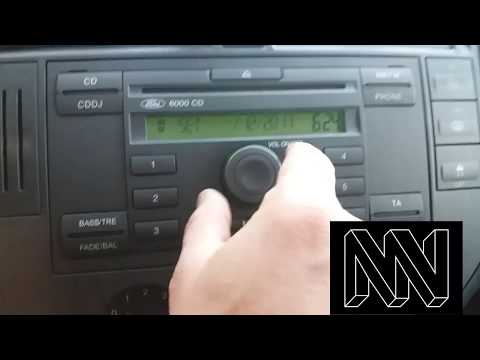
Ford Ford Various
In this tutorial, we can see how to adjust the time on the Ford 6000CD car radio, an extremely simple and quick operation to be carried out, for exam…

Ford Ford Various
In this tutorial we can see how to unlock the Ford 6000CD RDS EON car radio, an extremely simple and quick operation, to be carried out for example a…

Ford Ford Various
In order to perform a reset of the Ford car radio Sync, you need to press the settings icon located at the bottom right of the car radio display: thi…
Other guides you may be interested in
|
How to Reset the Tyre Pressure Light on BMW 1 Series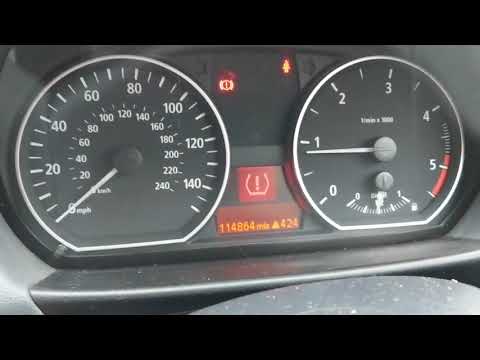
What to do when a warning light appears on the instrument cluster? Here's how to reset the tyre pressure light on a 1 Series. Turn on the instrument cluster, use the buttons on the lever to the left of the steering wheel, then, once in the settings menu, scroll with the up/down button until you find the "Reset Tyres" option, select it using the end of the lever as shown in the video to turn off the tyre pressure warning light and exit the settings menu. Check the instrument cluster by turning it off and back on with the ignition key. Repeat the same procedure for other settings. by ScegliAuto More videos
|
|
For advertising on this site Write to info@scegliauto.com
ScegliAuto is not responsible for any inaccuracy of the data in the lists. To report any inaccuracy or your business (if you own the business in question), please write to info@scegliauto.com
Number of seconds to generate the page: 0.076
(c) ScegliAuto 2026 - info@scegliauto.com - Privacy policy VAT number: IT01247470535 |
