
|
Do it yourself
| |||
| ||||


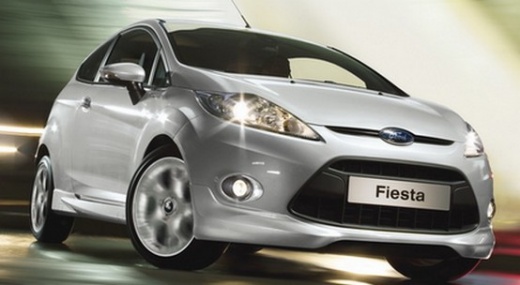
How to Replace the Wiper Blades on the Ford Fiesta 6?
Model: Ford Fiesta
Fiesta 6, MK VI, MK 6
- Years:
2008, 2009, 2010, 2011, 2012, 2013, 2014, 2015, 2016, 2017
Video tutorial
When worn, wiper blades cannot clean the windscreen adequately and leave streaks that prevent a perfect view of the road. When this occurs, it is necessary to replace them, and this video shows how to perform the operation on a Ford Fiesta 6. After obtaining compatible replacement parts (original or otherwise), approach your car and lift the wiper arm. Remove the blade by pressing the appropriate button while pulling it outward, then insert the new blade by pushing it into its housing until you hear the click of engagement.
Updated on 1 July 2026 by ScegliAuto
Related tutorials
Ford Fiesta
(2002-2008 /
MK V, MK 5, Fiesta 5)
In this video tutorial, you will see how to replace the wiper blades on a Ford Fiesta by following a few simple steps: first, purchase new wiper blad…

Ford Fiesta
(2008-2017 /
Fiesta 6, MK VI, MK 6)
To use the wipers on a Ford Fiesta, operate the lever located to the right of the steering wheel, which also has the wiper symbols. To simply activat…

Ford Fiesta
(2008-2017 /
Fiesta 6, MK VI, MK 6)
Are the wiper blades damaged? Let’s see how to remove the front blades on a Ford Fiesta. Take the damaged blade in your hands: gently pull the movabl…
Other guides you may be interested in |
How to Reset the Tire Pressure Light on a MG ZS?
On the instrument cluster of the MG ZS, the tire pressure light that appears can be reset by inflating the tires to the correct pressure: this value will be indicated on the sticker attached to the driver's door pillar. Once the tires have been properly inflated, you can turn on the instrument cluster and navigate through the menu until you find the option that indicates tire pressure: if this screen shows the new values, the light will turn off; otherwise, you will need to drive for a few miles so that the sensors can read the new values and turn off the light afterward. by ScegliAuto More videos
|
|
For advertising on this site Write to info@scegliauto.com
ScegliAuto is not responsible for any inaccuracy of the data in the lists. To report any inaccuracy or your business (if you own the business in question), please write to info@scegliauto.com
Number of seconds to generate the page: 0.008
(c) ScegliAuto 2026 - info@scegliauto.com - Privacy policy VAT number: IT01247470535 |
