
|
Do it yourself
| |||
| ||||


Replacing the Suspension Arm
Model: Ford Galaxy
MK 2
- Years:
2006, 2007, 2008, 2009, 2010, 2011, 2012, 2013, 2014, 2015
Video tutorial
If the suspension arm of a car wears out, it must be replaced as it can lead to a dangerous loss of vehicle control. This is a task you can do yourself, saving a considerable amount of money as it is not very complicated. The following guide shows you how to do it. First, take the jack and lift the car to work safely. Then, unscrew the bolts and remove the wheel from the hub. Using two 14mm spanners, detach the stabiliser link from the arm, avoiding any sudden movements to prevent breakage. Once the joint is removed, you will find the suspension arm, secured with screws, which can then be extracted.
Updated on 16 February 2026 by ScegliAuto
Related tutorials
Ford Galaxy
(2006-2015 /
MK 2)
The car's suspension arm connects the chassis to the struts, but if it bends due to an impact, wears out, or breaks, it will need to be replaced. Thi…

Ford Galaxy
(2006-2015 /
MK 2)
Today, we will discover the procedure for dismantling and replacing the diesel pump on the Ford Galaxy 2.0 TDCI. First, open the rear doors and begin…
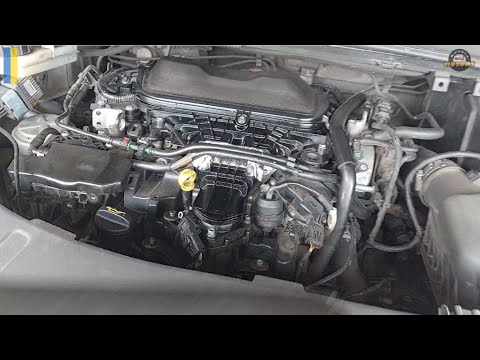
Ford Galaxy
(2006-2015 /
MK 2)
Here are the main instructions for removing and replacing the timing belt on the Ford Galaxy 2.0 TDCi. To replace the timing belt, lift the vehicle; …
Other guides you may be interested in |
How to reset the Service light on a 2019 Jeep Renegade?
The Service light, depicted as a yellow spanner, illuminates as scheduled to remind the driver that it is time for scheduled maintenance. This means that the set mileage has been reached, or the expected time has passed. The procedure involves turning on the instrument cluster, pressing the accelerator three times, and then turning off the ignition. After this, keep the brake pressed, turn the ignition back on, and then turn it off again. Upon the next ignition, you will notice that the light has been reset. by ScegliAuto More videos
|
|
For advertising on this site Write to info@scegliauto.com
ScegliAuto is not responsible for any inaccuracy of the data in the lists. To report any inaccuracy or your business (if you own the business in question), please write to info@scegliauto.com
Number of seconds to generate the page: 0.019
(c) ScegliAuto 2026 - info@scegliauto.com - Privacy policy VAT number: IT01247470535 |
