
|
Do it yourself
| |||
| ||||



Guide to Using the Geely Haoyue
Model: Geely Haoyue
Vx11, MK 1
- Years:
2020, 2021, 2022, 2023, 2024, 2025, 2026
Video tutorial
In this video, we will present the Geely Haoyue SUV and its main available functions. First, unlock the vehicle with the remote and get inside; the vehicle features a large central display that allows access to all multimedia content and driving functions (from the navigation system to smartphone connectivity via Android Auto or Apple CarPlay). The vehicle also offers ample space both in the front and rear; there is also a trunk with a very high cargo volume, especially when the rear seats are folded down.
Updated on 20 July 2026 by ScegliAuto
Related tutorials
Geely Haoyue
(2020-2026 /
Vx11, MK 1)
To locate the spare tire on the Geely Haoyue, open the rear hatch of the vehicle to access the trunk. Here, lift the carpet that serves as flooring t…

Geely Haoyue
(2020-2026 /
Vx11, MK 1)
To install the rain deflectors on the vehicle's doors, follow these steps: thoroughly clean the area of the body where the profiles will be applied. …
Other guides you may be interested in |
How to Reset the AdBlue Warning Light on a Peugeot Boxer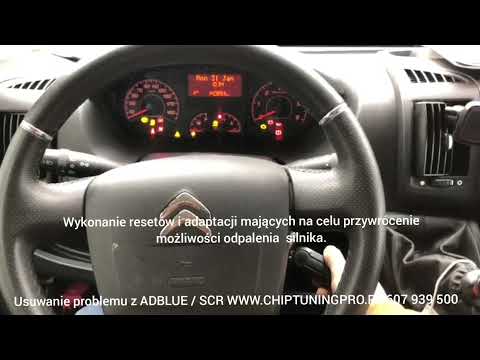
To reset the AdBlue system on a 2018 Peugeot Boxer, follow these steps: Start the engine and ensure the vehicle is parked in a well-ventilated area. Locate the "MENU" button on the dashboard or steering wheel controls. Press and hold the "MENU" button until the menu options appear on the display. Use the arrow buttons or scroll wheel to access the "Vehicle Settings" or "Settings" menu. Select the "AdBlue" or "AdBlue System" option. Look for the "Recharge" or "Reset" option in the AdBlue menu. Once you find the reset option, select it and confirm your choice when prompted. The system will be reset, and a confirmation message may appear on the display. Turn off the engine and wait a few seconds. Restart the engine and check that the AdBlue system has been reset. by ScegliAuto More videos
|
|
For advertising on this site Write to info@scegliauto.com
ScegliAuto is not responsible for any inaccuracy of the data in the lists. To report any inaccuracy or your business (if you own the business in question), please write to info@scegliauto.com
Number of seconds to generate the page: 0.055
(c) ScegliAuto 2026 - info@scegliauto.com - Privacy policy VAT number: IT01247470535 |
