
|
Do it yourself
| |||
| ||||


|
Model: Harley Davidson Road King
To replace the front brake pads on a Harley Davidson Road King, loosen the two screws that secure the caliper to the respective disc, located at the top and bottom of the caliper. By removing these screws, the caliper can be detached, and the pads inside will be extracted. After removal, you can insert the new replacement parts inside the caliper and position it back onto the disc. It should be secured by tightening the screws at the bottom and top of the caliper, checking that the brake functions correctly.
Updated on 6 May 2026 by ScegliAuto
Video tutorial
Related tutorials
Road King
In order to replace the front brake pads of the Harley Davidson Road King, you need to loosen the screws that secure the caliper to the corresponding…

Road King
You can replace the front brake pads on a Harley Davidson Road King by loosening the screws that secure the brake caliper to the corresponding brake …

Road King
To replace the brake pads on the Harley Davidson Road King, the same procedure must be followed for both the front and rear wheels: you will need to …
|
How to Replace the Air Filter on a Harley Davidson Dyna?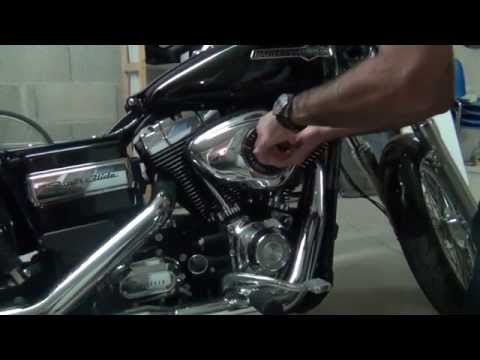
To replace the air filter on a Harley Davidson Dyna, loosen the screws securing the cover located on the right side of the bike, just below the fuel tank. Once the cover is removed, you will locate the filter underneath: it must be removed from its housing by unscrewing the fastening screws and sliding it out from its compartment. After the old filter has been removed, position the new replacement part, securing it in place with the screws and covering everything with the cover. by ScegliAuto More videos
|
|
For advertising on this site Write to info@scegliauto.com
ScegliAuto is not responsible for any inaccuracy of the data in the lists. To report any inaccuracy or your business (if you own the business in question), please write to info@scegliauto.com
Number of seconds to generate the page: 0.006
(c) ScegliAuto 2026 - info@scegliauto.com - Privacy policy VAT number: IT01247470535 |
