
|
Do it yourself
| |||
| ||||


Model: Honda Forza
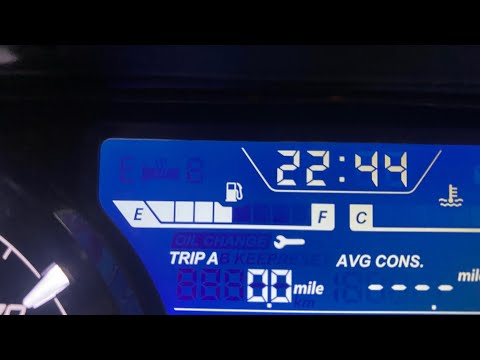
To reset the Oil Change light on a Honda Forza, keep the instrument panel off. While it is off, press and hold both the INFO A and INFO B buttons simultaneously. With these buttons held down, turn the key to switch on the instrument panel, noting that the Oil Change light will start to flash. At this point, press the INFO B button twice consecutively: this will turn off the Oil Change light completely. To verify that the reset has been successful, switch off the instrument panel and turn it back on immediately.
Updated on 30 April 2026 by ScegliAuto
Video tutorial
Related tutorials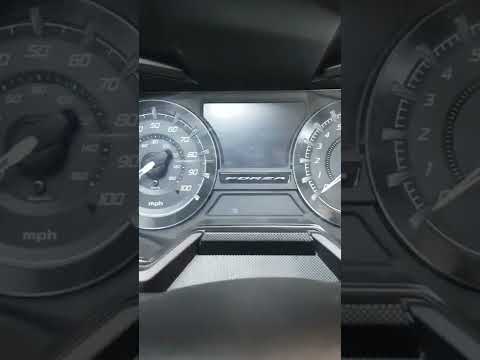
Forza
If the service light on your Honda Forza is illuminated continuously despite having completed the service, do not worry as you can easily reset it ma…
Forza
To manually reset the service light on your Honda Forza, follow these simple steps. First, ensure the Honda Forza is completely off. Then locate the …

Forza
To reset the service light on a Honda Forza, press and hold the INFO A button located on the left side of the steering wheel: while continuing to hol…
|
How to replace the engine oil in the Kawasaki Versys 1000?
As we can see in this tutorial, replacing the motor oil in the Kawasaki Versys 1000 is an extremely simple and fast operation. First of all, make sure that the engine is cool enough, then position a container under the motorcycle and, using a socket wrench, unscrew the drain plug. Wait for all the oil in the system to completely drain out, remove the lower front cover and unscrew the old filter. At this point, we can tighten the replacement, reassemble everything and pour in the new oil through the appropriate hole. by ScegliAuto More videos
|
For advertising on this site Write to info@scegliauto.com
ScegliAuto is not responsible for any inaccuracy of the data in the lists. To report any inaccuracy or your business (if you own the business in question), please write to info@scegliauto.com
Number of seconds to generate the page: 0.006
(c) ScegliAuto 2026 - info@scegliauto.com - Privacy policy VAT number: IT01247470535 |
