
|
Do it yourself
| |||
| ||||


Model: Honda Pcx 125
If you notice the oil warning light on your Honda PCX 125 remains illuminated despite having replaced the oil, you need to perform the following manual reset. First, turn on the ignition and ensure the total mileage is displayed. Then, switch off the ignition and locate the button on the right side of the dashboard. Press and hold this button while turning the ignition back on. As soon as the oil warning light goes out, release the button, and the procedure is complete.
Updated on 1 July 2026 by ScegliAuto
Video tutorial
Related tutorials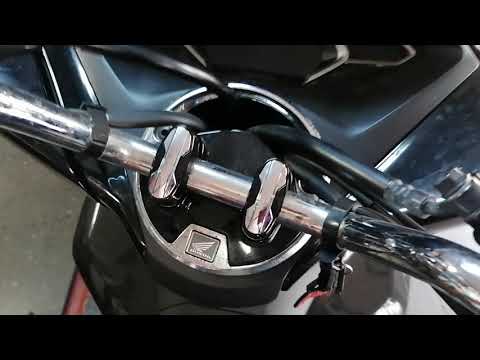
Pcx 125
In this brief guide, you will reset the maintenance light for the oil change on the Honda PCX 125 scooter. First, place your scooter on the centre st…

Pcx 125
Let’s see how to reset the service light on a Honda PCX 125: turn on the ignition and locate the two buttons on the instrument panel. Press and hold …

Pcx 125
After replacing the engine oil on the 2022 Honda PCX 125 scooter, it is necessary to proceed with the reset of the oil light. To perform this operati…
|
How do you reset the Oil Check light on the Sym VF 185?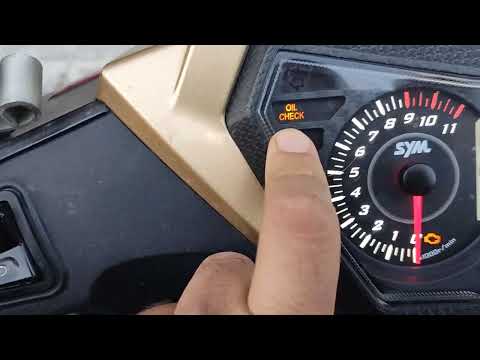
In order to reset the Oil Check light on the Sym VF 185, you need to turn on the instrument panel by turning the key in the ignition switch. Once the panel is on, you can press and hold the button located at the bottom right of the instrument panel for a few seconds. You will need to continue holding the button for a few seconds and then release it before pressing the next button. This will make the Oil Check light disappear from the instrument panel, and you can turn it off again by turning the key in the opposite direction. by ScegliAuto More videos
|
For advertising on this site Write to info@scegliauto.com
ScegliAuto is not responsible for any inaccuracy of the data in the lists. To report any inaccuracy or your business (if you own the business in question), please write to info@scegliauto.com
Number of seconds to generate the page: 0.005
(c) ScegliAuto 2026 - info@scegliauto.com - Privacy policy VAT number: IT01247470535 |
