
|
Do it yourself
| |||
| ||||


How to Set the Clock on the Honda PCX 125?
Model: Honda Pcx 125
Video tutorial
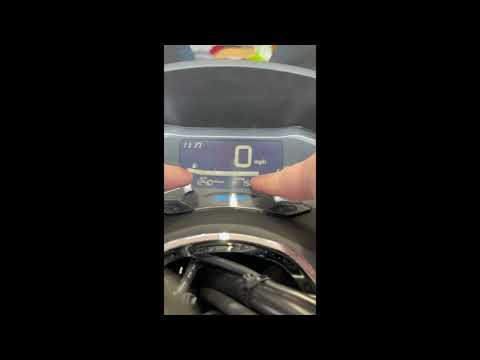
To set the clock on the Honda PCX 125, first turn the ignition on by rotating the key. Then, press and hold the SEL and SET buttons located on either side of the instrument panel. While holding these buttons, you will notice the clock starts to flash. Use single presses of the SEL button to adjust the hours, and once the correct hour is set, confirm the change by pressing the SET button. You will see the minutes start to flash, which can be adjusted in the same manner.
Updated on 13 September 2026 by ScegliAuto
Related tutorials
Pcx 125
You can modify the clock displayed on the dashboard of the Honda PCX 125 by turning the ignition key in the corresponding lock to activate the dashbo…

Pcx 125
To set the clock on the Honda PCX 125, you need to turn on the instrument panel by inserting the ignition key into the corresponding block: once the …
Pcx 125
To set the clock on a Honda PCX 125, turn the ignition key in the switch to power up the instrument panel. Once the instrument panel is on, press and…
|
How to Set the Clock on the Kymco Agility?
To adjust the clock on the Kymco Agility, insert the key into the ignition to turn on the dashboard: once it is on, press and hold the button at the bottom left of the dashboard. You will notice that the hours will start to flash, which can be changed by repeatedly pressing the button to the right of the dashboard: once the hours are set, press the button on the left of the dashboard to adjust the minutes in the same way. by ScegliAuto More videos
|
|
For advertising on this site Write to info@scegliauto.com
ScegliAuto is not responsible for any inaccuracy of the data in the lists. To report any inaccuracy or your business (if you own the business in question), please write to info@scegliauto.com
Number of seconds to generate the page: 0.006
(c) ScegliAuto 2026 - info@scegliauto.com - Privacy policy VAT number: IT01247470535 |
