
|
Do it yourself
| |||
| ||||


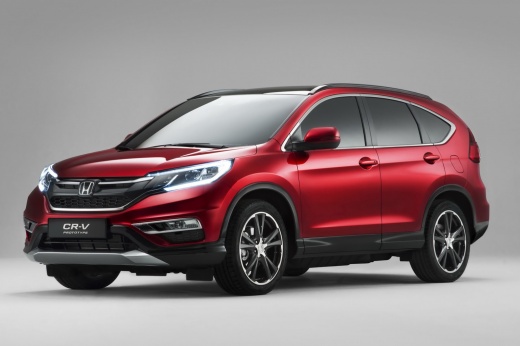
How to Reset the Tyre Light on a Honda CR-V 4
Model: Honda CR-V
MK 4
- Years:
2012, 2013, 2014, 2015, 2016, 2017
Video tutorial
If you own a fourth-generation Honda CR-V and want to manually reset the tyre light, then the following guide is all you need. First, ensure that all the vehicle's tyres are inflated to the pressures indicated by the manufacturer, then go to the driver's seat and turn on the ignition. Once done, focus on the small button panel located on the left side of the dashboard and press and hold the button with the tyre icon. Wait for the reset to complete, and you are finished.
Posted on 13 August 2026 by ScegliAuto
Related tutorials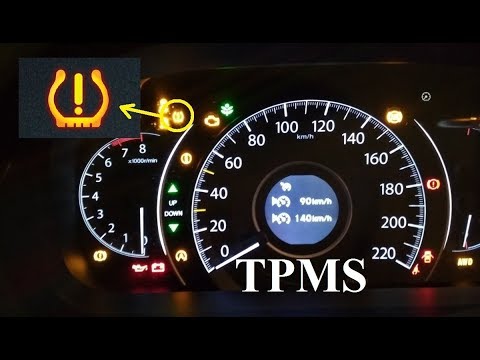
Honda CR-V
(2012-2017 /
MK 4)
How to reset the tyre pressure light on a Honda CR-V? Watch the video carefully. To reset the tyre pressure warning light, turn on the ignition of th…

Honda CR-V
(2012-2017 /
MK 4)
These brief and simple steps will allow you to reset the tyre pressure warning on the Honda CR-V. Before recalibrating the TPMS sensors, ensure all f…
Honda CR-V
(2007-2012 /
MK 3)
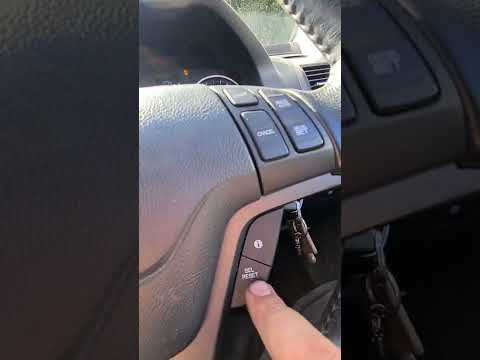
To manually reset the tyre light on your Honda CR-V third series (2010), follow these simple steps outlined in this guide. First, enter the car and s…
Other guides you may be interested in
|
How to Disable the ECO Mode on the Peugeot 308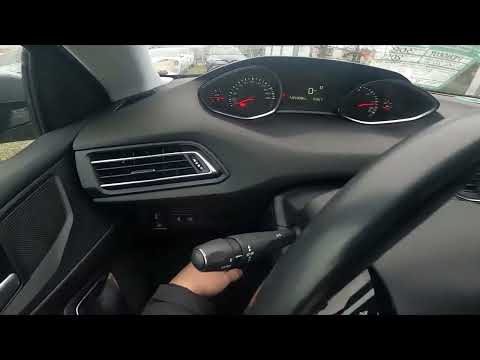
To disable the ECO mode on the Peugeot 308, first turn on the instrument panel by turning the key in the ignition switch. Once the panel is on, press the button located on the dashboard to the left of the steering column. The button to press is next to the ESC system button: when the system is deactivated, the yellow light on the button will be illuminated; conversely, it will be off. You can activate and deactivate the system at any time simply by pressing the button. by ScegliAuto More videos
|
|
For advertising on this site Write to info@scegliauto.com
ScegliAuto is not responsible for any inaccuracy of the data in the lists. To report any inaccuracy or your business (if you own the business in question), please write to info@scegliauto.com
Number of seconds to generate the page: 0.104
(c) ScegliAuto 2026 - info@scegliauto.com - Privacy policy VAT number: IT01247470535 |
