
|
Do it yourself
| |||
| ||||


|
Model: Husqvarna Norden 901
When the service light comes on on the 2023 Norden 901 motorcycle, it means that it is necessary to perform the service and then proceed to reset the light itself. The first operation to be performed is to replace the engine oil; to do this, we must open the oil tank cap and immediately after the nut that locks the cup in order to eliminate all the oil inside. Next to the tank is the oil filter that must also be replaced. We also check the brake fluid, the timing belt, and the tire pressure. To reset the light, we must turn on the instrument panel and then press the button on the odometer until the kilometers to the next service are updated. After completing the reset, turn off and turn on the instrument panel.
Posted on 9 September 2025 by ScegliAuto
Video tutorial
Related tutorials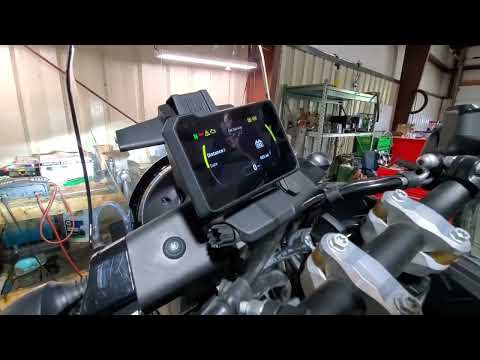
Norden 901
To reset the Service light on the Husqvarna Norden 901, turn the ignition key to switch on the instrument panel. Once the panel is on, use the indica…

Norden 901
Let's discover the procedure that will allow us to reset the service indicator light for the regular maintenance of the engine oil change on the Husq…

Norden 901
We discover about the Husqvarna Norden 901, how to reset the Service light, using the help of the video attached here. Like with cars and vehicles in…
|
How to Reset the Oil Light on a Honda PCX 160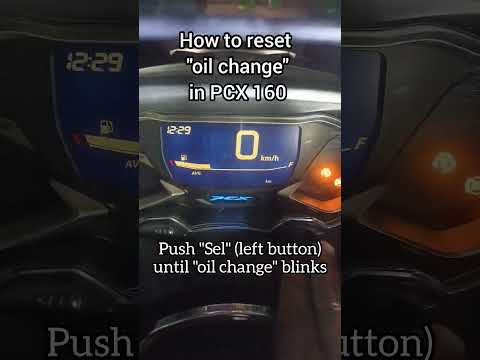
In this mini guide, discover the steps to manually reset the oil light on the central display of your Honda PCX 160. First, turn on the ignition with the key and press both the 'Sel' and 'Set' buttons located below it simultaneously. When the time starts to flash, hold 'Sel' until the oil indicator flashes, then press the 'Set' button once. To complete the reset, hold 'Sel' again until the operation is finished. by ScegliAuto More videos
|
|
For advertising on this site Write to info@scegliauto.com
ScegliAuto is not responsible for any inaccuracy of the data in the lists. To report any inaccuracy or your business (if you own the business in question), please write to info@scegliauto.com
Number of seconds to generate the page: 0.006
(c) ScegliAuto 2026 - info@scegliauto.com - Privacy policy VAT number: IT01247470535 |
