
|
Do it yourself
| |||
| ||||


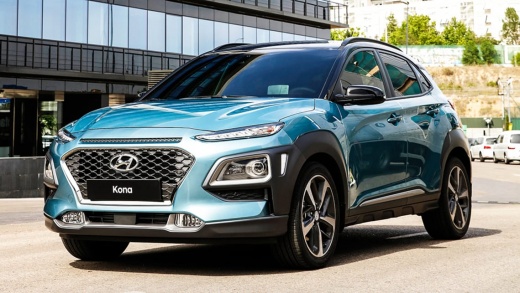
Guide to Resetting the Tyre Pressure Warning on the Hyundai Kona
Model: Hyundai Kona
MK 1
- Years:
2017, 2018, 2019, 2020, 2021, 2022, 2023
Video tutorial
This guide will show you how to reset the tyre pressure warning on the Hyundai Kona. First, open the driver's side front door and locate the tyre pressure label on the body pillar. Follow the instructions provided to restore the operating pressure on all four tyres, as shown in the video. Next, get into the vehicle and wait for the system to detect the new pressures, resetting the warning on the dashboard!
Updated on 23 October 2026 by ScegliAuto
Related tutorials
Hyundai Kona
(2023-2026 /
MK 2)
The following steps will show us how to reset the tire pressure warning light on the Hyundai Kona; before resetting the TPMS sensors, it is necessary…

Hyundai Kona
(2023-2026 /
MK 2)
These brief and simple steps will illustrate the procedure to reset the tyre pressure monitoring system (TPMS) light on the Hyundai Kona. Before reca…

Hyundai Kona
(2017-2023 /
MK 1)
These brief and simple steps will show you how to check the tyre pressure and reset the TPMS warning on the Hyundai Kona. First, get in the vehicle a…
Other guides you may be interested in
|
How to Reset the Tire Pressure Light on a MG ZS?
On the instrument cluster of the MG ZS, the tire pressure light that appears can be reset by inflating the tires to the correct pressure: this value will be indicated on the sticker attached to the driver's door pillar. Once the tires have been properly inflated, you can turn on the instrument cluster and navigate through the menu until you find the option that indicates tire pressure: if this screen shows the new values, the light will turn off; otherwise, you will need to drive for a few miles so that the sensors can read the new values and turn off the light afterward. by ScegliAuto More videos
|
For advertising on this site Write to info@scegliauto.com
ScegliAuto is not responsible for any inaccuracy of the data in the lists. To report any inaccuracy or your business (if you own the business in question), please write to info@scegliauto.com
Number of seconds to generate the page: 0.094
(c) ScegliAuto 2026 - info@scegliauto.com - Privacy policy VAT number: IT01247470535 |
