
|
Do it yourself
| |||
| ||||



How to reset the TPMS light on the 2020 Hyundai Palisade
Model: Hyundai Palisade
LX2, MK 1
- Years:
2019, 2020, 2021, 2022, 2023, 2024, 2025, 2026
Video tutorial
The procedure that allows you to manually reset the TPMS alarm light on the instrument panel of your Hyundai Palisade is really simple. Below we explain how to complete it in a few minutes. First, make sure all the tires of your Hyundai Palisade are inflated to a pressure of 35 PSI. Then, check for any punctures and enter the cabin. Reach the driver's seat, start the vehicle, and drive a few kilometers on the road to force the TPMS light reset.
Posted on 14 January 2025 by ScegliAuto
Related tutorials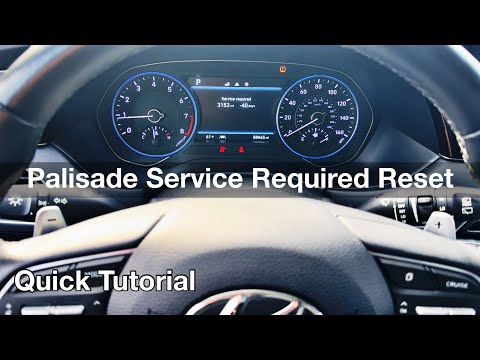
Hyundai Palisade
(2019-2026 /
LX2, MK 1)
With this mini guide, you will be able to correctly complete the manual reset of the service light on your 2020 Hyundai Palisade. First, reach the dr…

Hyundai Palisade
(2019-2026 /
LX2, MK 1)
If you own a Hyundai Palisade and are curious to learn how to manually reset the maintenance light, simply follow the steps described in the followin…

Hyundai Palisade
(2019-2026 /
LX2, MK 1)
In the following guide aimed at all of you who own a 2023 Hyundai Palisade, we will help you complete the procedure that allows you to manually reset…
Other guides you may be interested in
|
How to Change the Time on the Peugeot 208
Today's guide will show you how to set the clock on the Peugeot 208's onboard computer, following the instructions below. First, get in the car and turn on the instrument panel; then press and hold the settings button on the panel for a few seconds until the time starts to flash, as shown in the video. At this point, press the left button to correctly set the time, adjusting the hour first and then the minutes; exit the onboard computer menu to save all the changes made! by ScegliAuto More videos
|
|
For advertising on this site Write to info@scegliauto.com
ScegliAuto is not responsible for any inaccuracy of the data in the lists. To report any inaccuracy or your business (if you own the business in question), please write to info@scegliauto.com
Number of seconds to generate the page: 0.021
(c) ScegliAuto 2026 - info@scegliauto.com - Privacy policy VAT number: IT01247470535 |
