
|
Do it yourself
| |||
| ||||


How to Reset the Service Light on a 2020 Hyundai Palisade
Model: Hyundai Palisade
LX2, MK 1
- Years 2019-2026
With this mini guide, you will be able to correctly complete the manual reset of the service light on your 2020 Hyundai Palisade. First, reach the driver's seat, then turn on the vehicle's instrument panel and press the menu button multiple times until the settings screen appears. At this point, scroll down using the directional button and select the "Service interval" option. Next, press the "Reset" option and confirm the operation to complete the reset of the service light.
Updated on 3 September 2026 by ScegliAuto
Video tutorial
Related tutorials
Hyundai Palisade
(2019-2026 /
LX2, MK 1)
If you own a 2022 Hyundai Palisade and want to understand how to correctly perform a manual reset of the service light, all you need to do is read th…

Hyundai Palisade
(2019-2026 /
LX2, MK 1)
The procedure that allows you to manually reset the TPMS alarm light on the instrument panel of your Hyundai Palisade is really simple. Below we expl…
Hyundai Palisade
(2019-2026 /
LX2, MK 1)
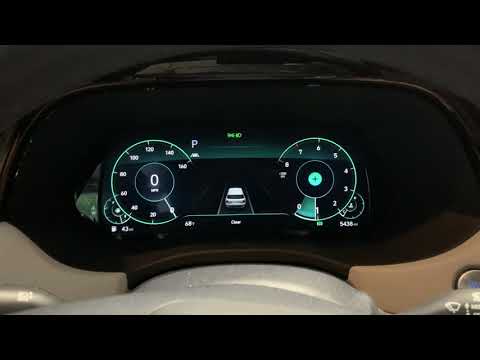
In this brief tutorial, you will see how to reset the service light on a Hyundai Palisade. First, turn on the ignition without starting the vehicle. …
Other guides you may be interested in
|
How to reset the tyre pressure warning light on the Dacia Sandero?
To reset the tyre pressure warning light on the Dacia Sandero, inflate all the tyres to the pressure indicated on the label on the driver's door. Once the tyres are inflated, turn on the ignition and navigate through the menu using the controls on the right side of the steering wheel. Scroll with the arrows to find the tyre pressure option: by holding down the OK button located on the right side of the steering wheel, you can reset the warning light. by ScegliAuto More videos
|

|
For advertising on this site Write to info@scegliauto.com
ScegliAuto is not responsible for any inaccuracy of the data in the lists. To report any inaccuracy or your business (if you own the business in question), please write to info@scegliauto.com
Number of seconds to generate the page: 0.086
(c) ScegliAuto 2026 - info@scegliauto.com - Privacy policy VAT number: IT01247470535 |
