
|
Do it yourself
| |||
| ||||


How to Replace the Remote Battery on a Hyundai Tucson?
Model: Hyundai Tucson
NX4, MK 4
- Years 2022-2026
When the remote for your car, regardless of the model, including the Hyundai Tucson mentioned here, stops working, such as unlocking doors, it likely has a flat battery that needs replacing. You don't need to go to a garage; this is a simple DIY task. Use a small flathead screwdriver to pry open the designated slot on the remote, open the casing, and remove the battery from its compartment. Insert the new battery, close the casing, and perform a functionality test for safety.
Posted on 22 June 2026 by ScegliAuto
Video tutorial
Related tutorials
Hyundai Tucson
(2015-2021 /
TL, MK 3)
To replace the battery of the Hyundai Tucson remote control, you need to press the button on the top of the device in order to lift the key: this way…

Hyundai Tucson
(2015-2021 /
TL, MK 3)
Today we will explain how to replace the battery of the Hyundai Tucson remote control. To replace the battery, we need to lift the key and insert a f…
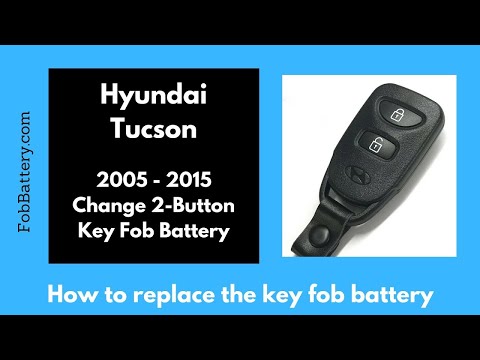
Hyundai Tucson
(2004-2009 /
JM, MK 1)
How do you change the battery in the key of a Hyundai Tucson? Let's see how to disassemble the remote and replace the battery inside. Take your remot…
Other guides you may be interested in
|
How to reset the tyre pressure warning light on the Dacia Sandero?
To reset the tyre pressure warning light on the Dacia Sandero, inflate all the tyres to the pressure indicated on the label on the driver's door. Once the tyres are inflated, turn on the ignition and navigate through the menu using the controls on the right side of the steering wheel. Scroll with the arrows to find the tyre pressure option: by holding down the OK button located on the right side of the steering wheel, you can reset the warning light. by ScegliAuto More videos
|
|
For advertising on this site Write to info@scegliauto.com
ScegliAuto is not responsible for any inaccuracy of the data in the lists. To report any inaccuracy or your business (if you own the business in question), please write to info@scegliauto.com
Number of seconds to generate the page: 0.096
(c) ScegliAuto 2026 - info@scegliauto.com - Privacy policy VAT number: IT01247470535 |
