
|
Do it yourself
| |||
| ||||



How to Change the Key Remote Battery on a Hyundai i30
Model: Hyundai I30
MK 3, PD
- Years:
2016, 2017, 2018, 2019, 2020, 2021, 2022, 2023, 2024
Video tutorial
To replace the battery in the key remote of a Hyundai i30, you need to extract the mechanical key by pressing the appropriate release button. Next, insert a small flat screwdriver or a plastic tool into the gap of the casing to carefully separate the two halves of the remote. Once the key body is open, remove the depleted battery, taking care of the mounting direction, and insert a new battery of the same type, ensuring the correct polarity. After replacing the battery, reassemble the two parts of the casing by applying slight pressure until the clips fully engage, then reinsert the mechanical key into its slot. Finally, it is advisable to check the correct operation of the buttons for opening, closing, and unlocking the boot.
Posted on 15 July 2026 by ScegliAuto
Related tutorials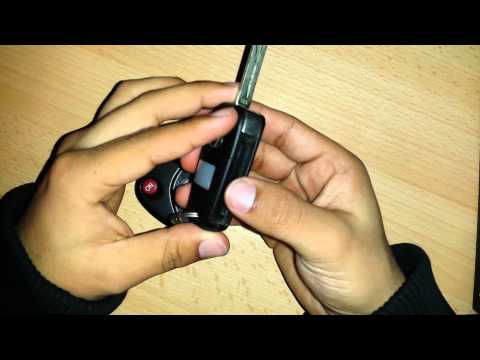
Hyundai I30
(2011-2016 /
GD, MK 2)
Is the Hyundai key remote not working anymore? Here’s how to change the battery. Take your ignition key and release the metal keyring. Use a screwdri…
Hyundai I30
(2016-2024 /
MK 3, PD)
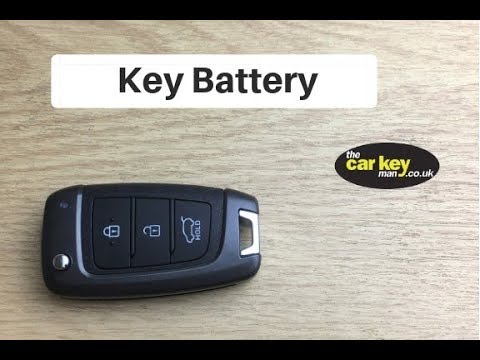
To replace the remote battery of the Hyundai i30, lift the ignition key by pressing the button located at the top left of the remote. This button wil…

Hyundai I30
(2011-2016 /
GD, MK 2)
This guide explains how to replace the remote key battery on a Hyundai i30 vehicle. To perform this simple task, you will need a flathead screwdriver…
Other guides you may be interested in
|
How to Set the Date and Time on the Iveco Daily
Today, we will see in this video tutorial how to change the date and time on the Iveco Daily. First, get into the vehicle and turn on the instrument panel; then go to the vehicle settings on the central display, pressing the relevant option for date and time. At this point, press the "set" button located at the top, using the physical arrow buttons to set both the date and time; finally, exit the onboard computer menu to save the changes made! by ScegliAuto More videos
|
|
For advertising on this site Write to info@scegliauto.com
ScegliAuto is not responsible for any inaccuracy of the data in the lists. To report any inaccuracy or your business (if you own the business in question), please write to info@scegliauto.com
Number of seconds to generate the page: 0.115
(c) ScegliAuto 2026 - info@scegliauto.com - Privacy policy VAT number: IT01247470535 |
