
|
Do it yourself
| |||
| ||||


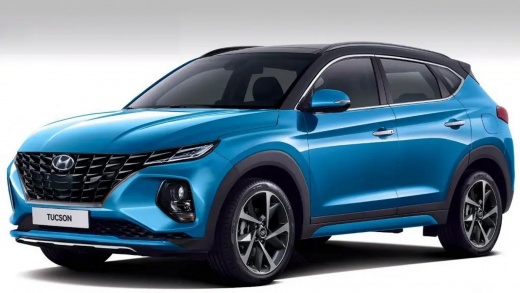
How to Replace the Key Fob Battery on a Hyundai Tucson
Model: Hyundai Tucson
- Years:
2022, 2023, 2024, 2025, 2026
Video tutorial
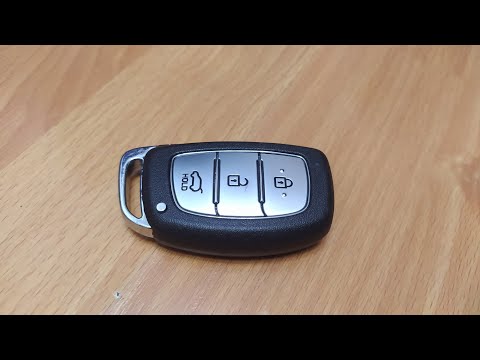
In this guide, you will find instructions that will allow you to disassemble and replace the battery of the key fob for the Hyundai Tucson. First, take your key fob and start prying open the side slot, splitting it into two parts; this way, you will have access to the electronic board and the battery, as shown in the video. At this point, remove the old battery and replace it with a new one of the correct type (in this case, a CR 2450 3V); insert it in the correct orientation and reassemble the key fob, checking its proper functioning!
Posted on 20 October 2026 by ScegliAuto
Related tutorials
Hyundai Tucson
(2010-2015 /
LM, MK 2)
Today we will explain how to replace the battery of the remote control of the Hyundai Tucson, model produced from 2010 to 2015. To replace the key ba…
Hyundai Tucson
(2015-2021 /
MK 3, TL)
To replace the battery in the remote of a third-generation Hyundai Tucson, first remove the physical key by pressing the designated release button. N…

Hyundai Tucson
(2015-2021 /
MK 3, TL)
Today we will explain how to replace the battery of the Hyundai Tucson remote control. To replace the battery, we need to lift the key and insert a f…
Other guides you may be interested in
|
Replacing the Gear Knob on the Mercedes Sprinter MK 2
With regular use, the gear knob on the Mercedes Sprinter may show signs of wear that necessitate its replacement. To carry out the replacement, sit in the driver's seat, and using a pair of pliers, rotate the knob left and right to unlock it. Grip the knob and gently pull it off while ensuring that the spring mounted on the lever does not get lost. Take the new knob, align it with the gear pattern, tap it on gently, and finish inserting it using a rubber mallet. by ScegliAuto More videos
|
|
For advertising on this site Write to info@scegliauto.com
ScegliAuto is not responsible for any inaccuracy of the data in the lists. To report any inaccuracy or your business (if you own the business in question), please write to info@scegliauto.com
Number of seconds to generate the page: 0.109
(c) ScegliAuto 2026 - info@scegliauto.com - Privacy policy VAT number: IT01247470535 |
