
|
Do it yourself
| |||
| ||||


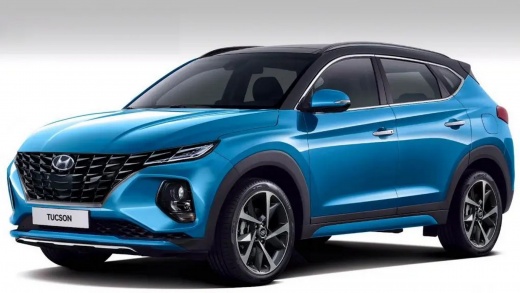
How to replace the battery of a Hyundai Tucson key remote
Model: Hyundai Tucson
- Years:
2022, 2023, 2024, 2025, 2026
Video tutorial
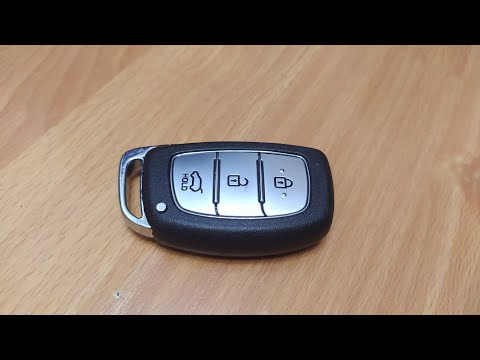
To replace the battery of a Hyundai Tucson car key remote, take the remote and locate the lever to remove the mechanical key inside. At this point, find the slot on the shell and use the key itself or a small flat screwdriver to pry and separate the remote shells. Inside, you will find the button battery, so remove it carefully, noting the position and polarity indicated in the compartment. Insert the new battery and close the remote; reinsert the mechanical key and check the correct functioning of the buttons.
Posted on 2 November 2026 by ScegliAuto
Related tutorials
Hyundai Tucson
(2010-2015 /
MK 2, LM)
Today we will explain how to replace the battery of the remote control of the Hyundai Tucson, model produced from 2010 to 2015. To replace the key ba…
Hyundai Tucson
(2015-2021 /
MK 3, TL)
To replace the battery in the remote of a third-generation Hyundai Tucson, first remove the physical key by pressing the designated release button. N…

Hyundai Tucson
(2015-2021 /
MK 3, TL)
Today we will explain how to replace the battery of the Hyundai Tucson remote control. To replace the battery, we need to lift the key and insert a f…
Other guides you may be interested in
|
How to reset the service light on the Kawasaki Versys 1000
Resetting the service light on the Kawasaki Versys 1000 is a straightforward operation that can be done independently, aided by our brief video tutorial. Start the reset procedure by turning on the instrument cluster, then simultaneously press the right and left buttons on the left lever. Once in the menu, select the service option and wait for the reset to load; once completed, press the two buttons again to return to the main menu and restart the instrument cluster to complete the reset of the service light. by ScegliAuto More videos
|
|
For advertising on this site Write to info@scegliauto.com
ScegliAuto is not responsible for any inaccuracy of the data in the lists. To report any inaccuracy or your business (if you own the business in question), please write to info@scegliauto.com
Number of seconds to generate the page: 0.139
(c) ScegliAuto 2026 - info@scegliauto.com - Privacy policy VAT number: IT01247470535 |
