
|
Do it yourself
| |||
| ||||


How to open the door of the 2024 Hyundai Kona when the key is not working
Model: Hyundai Kona
MK 2
- Years 2023-2026
If the smart key of your new 2024 Hyundai Kona suddenly stops working and you don't know how to open the car doors, don't worry because we will explain step by step how to solve this small inconvenience. First of all, remove the emergency key and then lift the handle slightly and remove the plastic side cover with the help of the physical key. Once you have done that, locate the lock and insert the key inside it to manually open the door. This operation can be repeated on all doors.
Posted on 9 July 2024 by ScegliAuto
Video tutorial
Related tutorials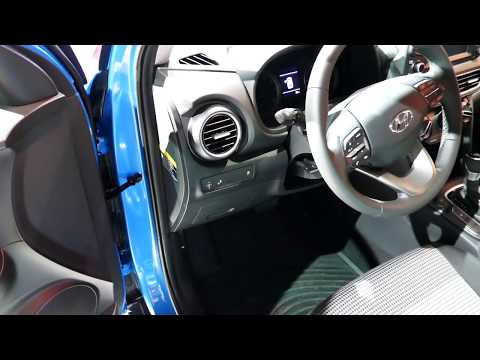
Hyundai Kona
(2017-2023 /
MK 1)
In this tutorial, see how to open the bonnet on a Hyundai Kona, a very simple operation that follows the standard procedure. First, open the driver's…

Hyundai Kona
(2017-2023 /
MK 1)
Follow the procedure below to open the bonnet of the Hyundai Kona, following the instructions provided. First, open the front door and pull the lever…

Hyundai Kona
(2017-2023 /
MK 1)
Replacing the air filter of the Hyundai Kona is an operation that follows simple and quick steps. The first step is to open the passenger side door. …
Other guides you may be interested in
|
How to Set the Clock on the Opel Zafira
Setting the clock to the current Italian time on an Opel Zafira model B is a very simple operation, also made easier by our short instructional video. The first step is to turn on the instrument panel and then press the SETTING button located on the central dashboard. Once inside the menu, use the buttons to navigate to the clock setting. Adjust the hours and minutes and restart the instrument panel. If the clock does not update, it may be necessary to diagnose the radio or the vehicle's control unit. by ScegliAuto More videos
|

|
For advertising on this site Write to info@scegliauto.com
ScegliAuto is not responsible for any inaccuracy of the data in the lists. To report any inaccuracy or your business (if you own the business in question), please write to info@scegliauto.com
Number of seconds to generate the page: 0.136
(c) ScegliAuto 2026 - info@scegliauto.com - Privacy policy VAT number: IT01247470535 |
