
|
Do it yourself
| |||
| ||||


How to turn off the maintenance light on the Iveco Daily
Model: IVECO Daily
MK 5
- Years 2014-2026
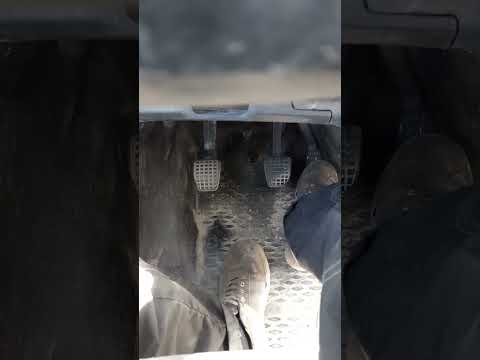
In this video we see how to reset the maintenance light on the Iveco Daily in a very simple way. Of course, make sure to have completed all the services required by the vehicle before performing this reset. So, turn on the ignition and press the accelerator pedal all the way down for thirty seconds. After this time has passed, press the brake pedal fifteen times, also all the way down. Then turn off the instrument panel. Wait a moment, then turn on the panel and start the engine. The service light should now be off.
Posted on 30 August 2024 by ScegliAuto
Video tutorial
Related tutorials
IVECO Daily
If you own a 2009 Iveco Daily and want to find the box containing all the various fuses, simply follow the steps described in this guide. First, turn…
IVECO Daily
After performing the oil change as per the maintenance schedule for the Iveco Daily, follow these steps to reset the Service light on the dashboard t…

IVECO Daily
(2014-2026 /
MK 5)
Below, we will discover the information that allows us to reset the service light for the routine maintenance oil change on the Iveco Daily. First, g…
Other guides you may be interested in
|
How to Adjust the Headlights on a Dacia Sandero
To adjust the headlights on a Dacia Sandero, turn on the instrument panel by rotating the appropriate key in the ignition switch. Once the panel is on, use the knob located to the left of the steering column, at the bottom of the dashboard. Turning this knob counterclockwise will lower the beam of the headlights; conversely, turning it clockwise will raise the beam. Once the correct angle is found, you can turn off the instrument panel. by ScegliAuto More videos
|

|
For advertising on this site Write to info@scegliauto.com
ScegliAuto is not responsible for any inaccuracy of the data in the lists. To report any inaccuracy or your business (if you own the business in question), please write to info@scegliauto.com
Number of seconds to generate the page: 0.072
(c) ScegliAuto 2026 - info@scegliauto.com - Privacy policy VAT number: IT01247470535 |
