
|
Do it yourself
| |||
| ||||


How do you reset the service light on the Iveco Daily?
Model: IVECO Daily
MK 3
- Years 1999-2006
Thanks to the electronic device presented in the video uploaded here, to be connected via cable to a PC with specific software and to the vehicle's OBD port, we are able to perform the reset in question. As mentioned earlier, after connecting the equipment, the program is configured by selecting the specific model of the vehicle and proceeding step by step until reaching the section of Active Alarms. Here we will find the Service light on, which we know reminds us to carry out maintenance, i.e. work related to the engine and more, so we will reset it directly from the PC.
Posted on 24 March 2025 by ScegliAuto
Video tutorial
Related tutorials
IVECO Daily
(2006-2020 /
MK 4)
Even before explaining what the correct procedure is to reset the Service light in the Iveco Daily, let's explain what is meant by service. If this l…
IVECO Daily
(2014-2026 /
MK 5)
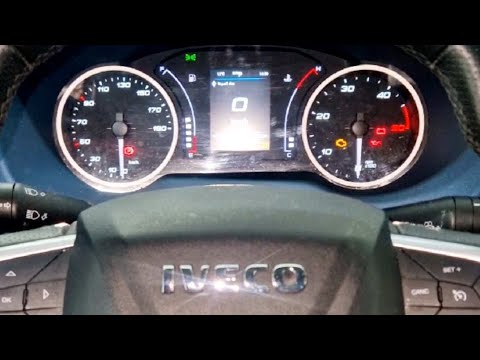
To reset the service light on the Iveco Daily, follow these steps: Turn on the Iveco Daily and ensure the service light is displayed on the dashboard…

IVECO Daily
(2014-2026 /
MK 5)
The easily recognizable and famous service light, in all vehicles and not just the Iveco Daily, is represented by a bright wrench, located on the ins…
Other guides you may be interested in
|
How to Adjust the Headlights on a Dacia Sandero
To adjust the headlights on a Dacia Sandero, turn on the instrument panel by rotating the appropriate key in the ignition switch. Once the panel is on, use the knob located to the left of the steering column, at the bottom of the dashboard. Turning this knob counterclockwise will lower the beam of the headlights; conversely, turning it clockwise will raise the beam. Once the correct angle is found, you can turn off the instrument panel. by ScegliAuto More videos
|
|
For advertising on this site Write to info@scegliauto.com
ScegliAuto is not responsible for any inaccuracy of the data in the lists. To report any inaccuracy or your business (if you own the business in question), please write to info@scegliauto.com
Number of seconds to generate the page: 0.629
(c) ScegliAuto 2026 - info@scegliauto.com - Privacy policy VAT number: IT01247470535 |
