
|
Do it yourself
| |||
| ||||


How do you set the clock on the Iveco Daily?
Model: IVECO Daily
MK 4
- Years 2006-2020
The clock shown on the instrument panel of the Iveco Daily can be adjusted by turning on the instrument panel, so that it is possible to navigate within the menu using the steering wheel controls. You will need to press the one at the top on the right side first and then you will be able to scroll through the options using the buttons on the left side: these, in particular those with the + and - symbols, should be used to change the hours and minutes. Once the time modification is done correctly, it can be confirmed by pressing the button on the right side.
Posted on 24 March 2025 by ScegliAuto
Video tutorial
Related tutorials
IVECO Daily
(2014-2026 /
MK 5)
To adjust the clock of the Iveco Daily, you will need to turn on the instrument panel by inserting the ignition key into the ignition switch and turn…

IVECO Daily
(2014-2026 /
MK 5)
To adjust the clock of the Iveco Daily, you need to turn on the instrument panel by inserting the ignition key into the corresponding slot: once the …

IVECO Daily
(2006-2020 /
MK 4)
Today we will explain how to set the clock on an Iveco Daily vehicle. To perform this simple operation, we need to turn on the instrument panel and p…
Other guides you may be interested in
|
What Does the "Code 60" Message Mean in the Opel Meriva?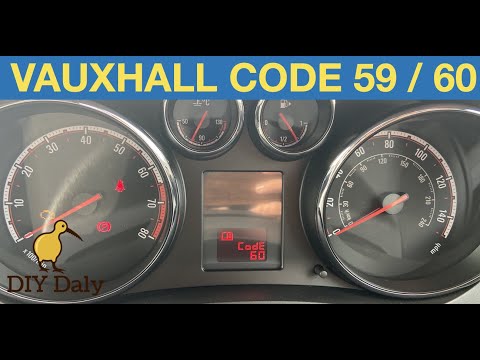
If the "Code 60" message has appeared on the dashboard of your Opel Meriva, it means that the passenger side window is not calibrated correctly. This issue can arise, for example, after disconnecting or replacing the battery, as the control unit for the various devices will lose the stored data. To remove the warning from the dashboard, simply turn on the ignition, fully open the window, and then close it. This procedure is also valid for the driver's window if the "Code 59" message appears. by ScegliAuto More videos
|
|
For advertising on this site Write to info@scegliauto.com
ScegliAuto is not responsible for any inaccuracy of the data in the lists. To report any inaccuracy or your business (if you own the business in question), please write to info@scegliauto.com
Number of seconds to generate the page: 0.207
(c) ScegliAuto 2026 - info@scegliauto.com - Privacy policy VAT number: IT01247470535 |
