
|
Do it yourself
| |||
| ||||


How do you set the clock on the Iveco Daily 2024?
Model: IVECO Daily
MK 5
- Years 2014-2024
One of the most well-known light commercial vehicles is the Iveco Daily, and we can see the video presentation of it uploaded here. The information available and accessible in its instrumentation is varied, including tire pressure, speed, fuel consumption, and the clock. If there is a need to update the clock, we must proceed as follows: Turn on the instrument panel, press the Mode button to access the Settings, select the Set Time option with the directional keys, and set the hours and minutes. Once this is done, we do not need to do anything else, the operation is complete.
Posted on 12 July 2025 by ScegliAuto
This video is currently unavailable
Related tutorials
IVECO Daily
(2014-2024 /
MK 5)
To adjust the clock of the Iveco Daily, you will need to turn on the instrument panel by inserting the ignition key into the ignition switch and turn…

IVECO Daily
(2014-2024 /
MK 5)
As much as a car radio can be technologically updated, it is possible, in the aftermarket, to replace it with newly launched and innovative models. F…

IVECO Daily
(2006-2020 /
MK 4)
The clock shown on the instrument panel of the Iveco Daily can be adjusted by turning on the instrument panel, so that it is possible to navigate wit…
Other guides you may be interested in
|
How to Remove the Fuel Filter on Opel Corsa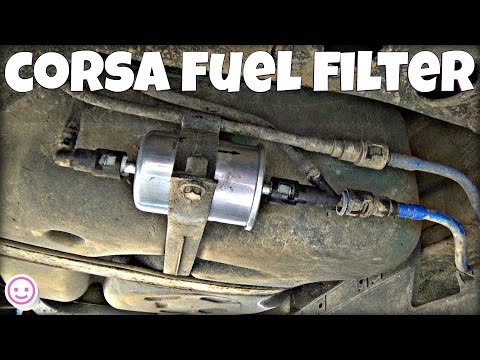
Here's how to remove and replace the fuel filter on an Opel Corsa: Lift the car on a column lift or jack and locate the fuel filter as shown in the video. Using a socket or spanner, unscrew the securing bolts of the round plate around the filter (disconnect the wires and various hoses from the filter) and remove it from under the body. Once the filter is removed, take it out of the vehicle (replace it with a new filter). Finally, reattach the fuel filter (connect the hoses and wires) and tighten the appropriate bolts. Close the front bonnet. by ScegliAuto More videos
|

For advertising on this site Write to info@scegliauto.com
ScegliAuto is not responsible for any inaccuracy of the data in the lists. To report any inaccuracy or your business (if you own the business in question), please write to info@scegliauto.com
Number of seconds to generate the page: 0.176
(c) ScegliAuto 2026 - info@scegliauto.com - Privacy policy VAT number: IT01247470535 |
