
|
Do it yourself
| |||
| ||||


How to Access the Service Menu of the Iveco S-way
Model: IVECO S-Way
MK 1
- Years 2019-2026
In this video, you can see how to access the service menu of the Iveco S-way: turn on the instrument panel, and from the multifunction screen, use two fingers to press the two lower corners (bottom right and bottom left) while maintaining pressure for 10/15 seconds until a different screen appears. This is a service/system information menu where you can find software versions of various control units, software production date, HW/SW codes of components, system parameter status, calibration menus, or component tests of the display. To exit, look for the "x" button or press the "home" button; otherwise, simply turn off and on the instrument panel.
Posted on 13 June 2026 by ScegliAuto
Video tutorial
Related tutorials
IVECO S-Way
(2019-2026 /
MK 1)
This guide provides instructions to raise the electric cab of the Iveco S-Way, allowing access to the engine compartment. First, open the front bonne…

IVECO S-Way
(2019-2026 /
MK 1)
Today's instructions will show us how to open the engine compartment of the Iveco S-Way, in simple and quick steps. First, let's move to the front an…
IVECO S-Way
(2019-2026 /
MK 1)
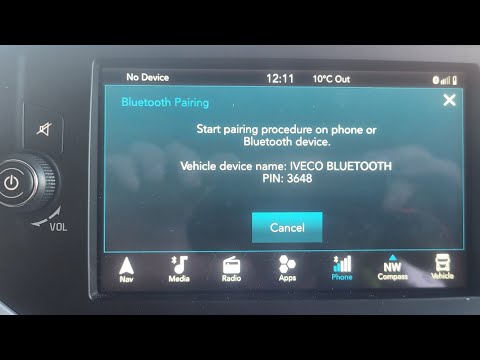
To connect Bluetooth on an IVECO S-Way truck, follow these steps: Ensure your IVECO S-Way truck has Bluetooth functionality. Not all models or trim l…
Other guides you may be interested in
|
How to Reset the Central Locking of the Volkswagen Golf 4?
If the central locking system of the Volkswagen Golf 4 is not working, it is likely necessary to reset the system: to do this, open the driver's door and detach the side panel of the dashboard next to the steering wheel. Under this panel, you will find the fuses, including the one for the central locking, which is indicated in the manual as number 14. To reset the system, remove this fuse from its housing, then reinsert it or replace it with a new one of the same amperage: this will reset the central locking system. by ScegliAuto More videos
|
|
For advertising on this site Write to info@scegliauto.com
ScegliAuto is not responsible for any inaccuracy of the data in the lists. To report any inaccuracy or your business (if you own the business in question), please write to info@scegliauto.com
Number of seconds to generate the page: 0.625
(c) ScegliAuto 2026 - info@scegliauto.com - Privacy policy VAT number: IT01247470535 |
