
|
Do it yourself
| |||
| ||||


How to Adjust the Time on Iveco Vehicles
Model: IVECO Iveco Various
Video tutorial
In today's video, you will learn how to adjust the time on Iveco vehicles. This guide applies to various models from the Italian brand. Typically, you will find the adjustment button located at the top, and the time will be displayed on the onboard computer of your vehicle. Press the grey button to adjust the minutes, pressing right to increase and left to decrease. The upper buttons serve the same function but adjust the hours. You will see the modified time in real-time on the instrument panel of your truck, without needing to confirm.
Updated on 23 May 2026 by ScegliAuto
Related tutorials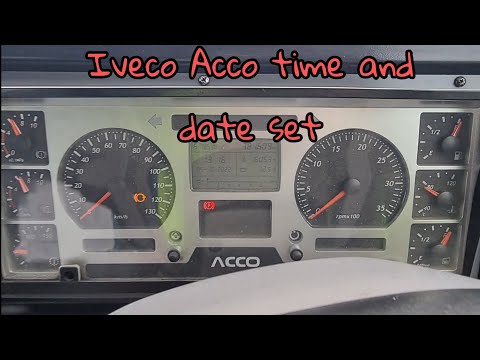
IVECO Iveco Various
To manually change the time displayed on your Iveco Acco's dashboard, follow this simple procedure. First, enter the vehicle and turn on the ignition…
IVECO Iveco Various
If your Iveco Beavertail displays a time different from the correct one and you want to know how to change it manually, just read the following guide…

IVECO Iveco Various
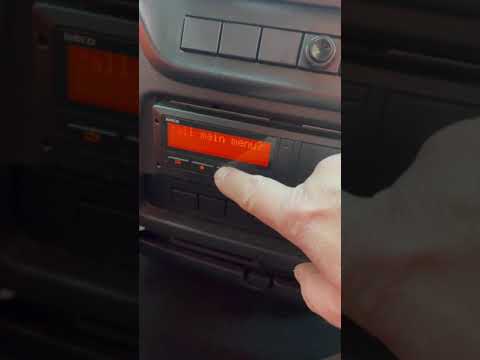
Very important, when we talk about heavy vehicles like Iveco in this case, is setting the time on the tachograph, given the role it plays during the …
Other guides you may be interested in
|
How to Set the Time in an Audi A4?
In this tutorial, you will see how to set the time in an Audi A4, a very simple and quick operation to perform after replacing the battery or when the time changes. First, insert the key and turn on the instrument cluster. Then, press the "SETUP" button located on the center console. Next, press the upper left arrow button, navigate to the "Time" option, and use the central knob to adjust the clock. Finally, set any necessary formats and save by returning to the main screen. by ScegliAuto More videos
|
|
For advertising on this site Write to info@scegliauto.com
ScegliAuto is not responsible for any inaccuracy of the data in the lists. To report any inaccuracy or your business (if you own the business in question), please write to info@scegliauto.com
Number of seconds to generate the page: 0.023
(c) ScegliAuto 2026 - info@scegliauto.com - Privacy policy VAT number: IT01247470535 |
