
|
Do it yourself
| |||
| ||||


How to Change the Number Plate Light Bulb on the Iveco Daily
Model: IVECO Daily
MK 4
- Years 2006-2020
In this video, you will see how to change the number plate light bulb on an Iveco Daily: the vehicle indicates that you need to check the number plate lights, and indeed you must open one of the positions where the bulbs are located. You can reach behind the number plate holder and remove the connector, but you need to proceed from the outside to remove the cover that protects the bulb. Once this is done, you can take out the burnt bulb and replace it with a new R5W bulb (2 pieces for £1.50). It is always recommended not to touch the glass of the new bulbs with bare hands, to avoid shortening their lifespan. Reinsert the bulb and close the cover. Reattach the connector and check the display: the warning light has disappeared.
Updated on 22 August 2026 by ScegliAuto
Video tutorial
Related tutorials
IVECO Daily
The legal chassis number on the Iveco Daily is located in a rather inconvenient place, as is the case with most recent vans. It is stamped on the cha…

IVECO Daily
(2014-2026 /
MK 5)
Let's see how to change the fog light bulb on a 2020 Iveco Daily: first of all, we need to remove the screw located inside the grille on the right si…

IVECO Daily
(2014-2026 /
MK 5)
In the 2021 Iveco Daily, the battery is located under the driver's seat. Once the door is opened, look down to find the battery compartment cover. Re…
Other guides you may be interested in
|
What Does the "Code 60" Message Mean in the Opel Meriva?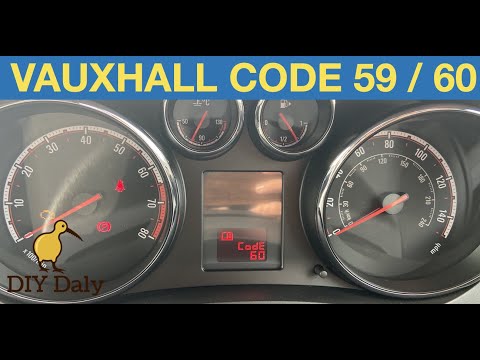
If the "Code 60" message has appeared on the dashboard of your Opel Meriva, it means that the passenger side window is not calibrated correctly. This issue can arise, for example, after disconnecting or replacing the battery, as the control unit for the various devices will lose the stored data. To remove the warning from the dashboard, simply turn on the ignition, fully open the window, and then close it. This procedure is also valid for the driver's window if the "Code 59" message appears. by ScegliAuto More videos
|
|
For advertising on this site Write to info@scegliauto.com
ScegliAuto is not responsible for any inaccuracy of the data in the lists. To report any inaccuracy or your business (if you own the business in question), please write to info@scegliauto.com
Number of seconds to generate the page: 1.085
(c) ScegliAuto 2026 - info@scegliauto.com - Privacy policy VAT number: IT01247470535 |
