
|
Do it yourself
| |||
| ||||


How to use the VDO digital tachograph
Model: IVECO Daily
MK 5
- Years 2014-2024
In this video we see the use of the VDO digital tachograph: the tachograph card must be inserted into slot number 1, with the driver's photo facing downwards (and therefore with the visible microchip). The instrument recognizes the driver and asks us "add?" we confirm with "ok". we must select the activity we have carried out (in this case, "rest", but with the selector we can select other activities) the time and the country. We always confirm with "ok". now the truck is ready to go, but we are not yet on a public road, maybe we are on a construction site. What to do? We select up to "vehicle entry OUT" confirm and it will tell us that the data has been recorded. So we are operational but we are not driving. To exit this mode we press "ok", it will propose "end OUT" so we confirm. If we need to perform another task we press the "1" button and the "availability" icon appears, then "other jobs". To print I have to press "ok", and I can choose between various types of printing, and the receipt of the day will come out. If we want to print the vehicle we have to go back to the "home". We go back to "print" but of the vehicle, and here too there are various options. It is very important to always have two spare rolls with you. From the main menu you can access various options regarding a possible second driver, change of entry and exit country. The card can only be removed with the reader in "rest" mode, then press the button on the right: the driver's name appears. You can press "ok" and you can remove the card.
Posted on 9 May 2024 by ScegliAuto
Video tutorial
Related tutorials
IVECO Daily
(2014-2024 /
MK 5)
Let's see how to change the time from daylight saving time to standard time (and vice versa) on the VDO tachograph of a Fiat Daily. This is a very im…

IVECO Daily
(2006-2020 /
MK 4)
In this video we can see how to switch from daylight saving time to standard time (and vice versa) on the VDO tachograph that we have installed on ou…

IVECO Daily
(2014-2024 /
MK 5)
In this video, we will see how to change the time on the digital tachograph clock of the Iveco Daily 2024: the tachograph is a control device install…
Other guides you may be interested in |
Removing the Door Panel on Ypsilon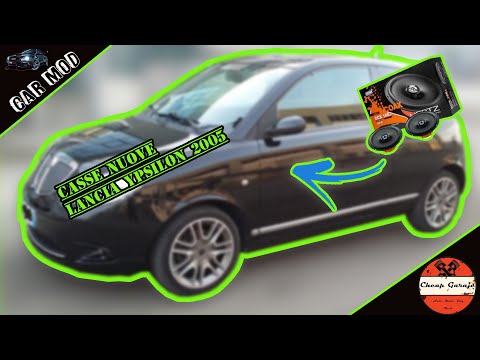
Remove the door panel of the Lancia Ypsilon to access the speaker? Follow this guide to see how to do it. Unscrew all the securing screws located inside the cover panel. Disconnect the securing clips. Finally, pull the panel away with your hands and detach it from the door (disconnect the power wiring and the opening cable). Remove the speaker from inside the door. Refit the panel onto the car door and screw in the screws. Don't forget to reconnect the power terminals behind the panel before refitting it. Test the operation of the newly installed speaker. by ScegliAuto More videos
|

|
For advertising on this site Write to info@scegliauto.com
ScegliAuto is not responsible for any inaccuracy of the data in the lists. To report any inaccuracy or your business (if you own the business in question), please write to info@scegliauto.com
Number of seconds to generate the page: 0.041
(c) ScegliAuto 2026 - info@scegliauto.com - Privacy policy VAT number: IT01247470535 |
