
|
Do it yourself
| |||
| ||||


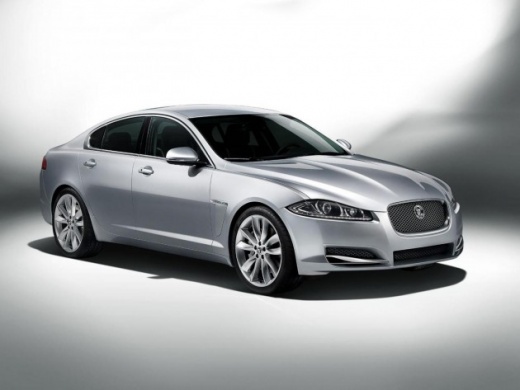
How to reset the service indicator on a Jaguar XF MK1
Model: Jaguar Xf
MK 1
- Years 2008-2015
Let's see how to reset the "maintenance required" light on a 2008 Jaguar XF: With the car completely turned off, press and hold the rear fog light switch; without releasing it, press the start button and turn on the instrument panel. Within three seconds of turning on, release the fog light switch, Immediately after, press and hold the "trip" button. At the same time, press the rear fog light switch again, and hold both buttons for ten seconds. The display will show "service mode reset". At this point, release both buttons and turn off the instrument panel. The light should be turned off.
Posted on 7 October 2025 by ScegliAuto
Video tutorial
Related tutorials
Jaguar Xf
(2008-2015 /
MK 1)
In order to reset the Service light of the Jaguar XF, you need to turn on the instrument panel by inserting the ignition key into the appropriate slo…

Jaguar Xf
(2008-2015 /
MK 1)
To reset the "Service" light on a Jaguar XF, you need to use a compatible diagnostic computer. Start by locating the OBD port, usually located under …

Jaguar Xf
(2015-2024 /
MK 2, X260)
Let's see how to reset the service light on the 2021 Jaguar XF: Open the bonnet, which should remain open for the entire reset. Close all the vehicle…
Other guides you may be interested in |
How to Replace the Cabin Filter on the Opel Grandland X
If you own an Opel Grandland X and want to know the steps to replace the cabin air filter, carefully read the following guide and follow the described steps. First, enter the vehicle and go to the passenger side. Then, locate the box containing the air filter in the lower side area of the dashboard. Remove the cover of the box and finally replace the old filter with the new one. Refit the cover, and you are done. by ScegliAuto More videos
|
|
For advertising on this site Write to info@scegliauto.com
ScegliAuto is not responsible for any inaccuracy of the data in the lists. To report any inaccuracy or your business (if you own the business in question), please write to info@scegliauto.com
Number of seconds to generate the page: 0.058
(c) ScegliAuto 2026 - info@scegliauto.com - Privacy policy VAT number: IT01247470535 |
