
|
Do it yourself
| |||
| ||||


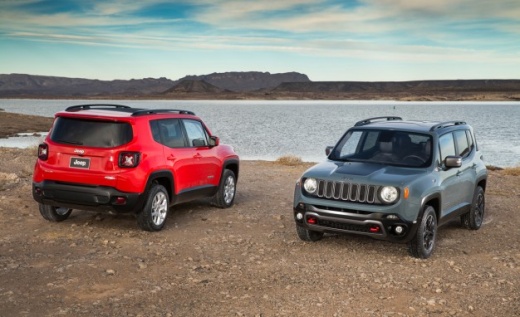
How to reset the TPMS light on the 2021 Jeep Renegade
Model: Jeep Renegade
MK 1, BU, 520
- Years:
2014, 2015, 2016, 2017, 2018, 2019, 2020, 2021, 2022, 2023, 2024, 2025
Video tutorial
Today we will explain how to reset the TPMS light on the 2021 Jeep Renegade. Before resetting the tire pressure light, we must check the pressure by observing the gauge indicator; immediately after, while keeping the gauge connected, we connect the air compressor to inflate the tires. Once the operation is completed, we get into the vehicle and start the engine to drive our vehicle for 15 km on a flat road. This way, the vehicle will automatically record the new tire pressure. If the pressure is not reset, it may be necessary to go to the workshop as the pressure sensors may be faulty and therefore require replacement.
Posted on 24 March 2025 by ScegliAuto
Related tutorials
Jeep Renegade
(2014-2026 /
MK 1, BU, 520)
Resetting the TPMS light, which relates to tyre pressure on a Jeep Renegade, involves very simple and quick steps that you can perform independently,…

Jeep Renegade
(2014-2026 /
MK 1, BU, 520)
The tire pressure warning light, also known as the TPMS light, monitors the pressure of the tires on the road; in case the light activates on the car…

Jeep Renegade
(2014-2026 /
MK 1, BU, 520)
The lighting of the tire pressure warning light indicates that it is necessary to go to a workshop or a service station to inflate the tires. To adju…
Other guides you may be interested in
|
How to open the fuel flap of the Toyota Aygo?
The fuel flap of the Toyota Aygo can be opened by pulling the dedicated button located on the dashboard, on the left side of the steering column: this button should now be pulled upwards. This will unlock the mechanism that allows the flap to close, making it possible to open the fuel flap. You can then unscrew the cap underneath and refuel: after refuelling, reposition the cap and close the flap again. by ScegliAuto More videos
|
|
For advertising on this site Write to info@scegliauto.com
ScegliAuto is not responsible for any inaccuracy of the data in the lists. To report any inaccuracy or your business (if you own the business in question), please write to info@scegliauto.com
Number of seconds to generate the page: 0.075
(c) ScegliAuto 2026 - info@scegliauto.com - Privacy policy VAT number: IT01247470535 |
