
|
Do it yourself
| |||
| ||||



How to change the battery in the Jeep Cherokee remote control.
Model: Jeep Cherokee
KL, MK 5
- Years:
2013, 2014, 2015, 2016, 2017, 2018, 2019, 2020, 2021, 2022, 2023
Video tutorial
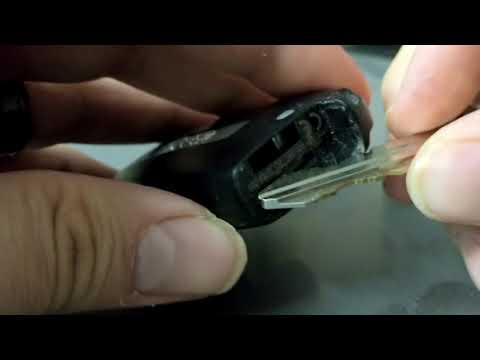
On your Jeep Cherokee, replacing the remote battery takes just a few minutes and requires no special tools. First, remove the emergency mechanical key from the remote, as it often unlocks access to the shell opening point. Then, locate the groove or joint along the edge of the remote and, using a small flat tool (preferably plastic or with a cloth to avoid scratching the shell), gently pry it open until the two halves of the shell separate. Once the remote is open, remove the button battery, being careful not to bend the metal contacts. Before inserting a new one, check the code printed on the original battery and purchase an identical one. Insert the new battery, ensuring it is oriented the same way as the previous one, making sure it fits securely and the contacts make proper contact. Close the shell by aligning the two halves and pressing along the entire perimeter until you hear the clips snap back into place. Reinsert the emergency key and check its functionality by trying to open/close the doors from a short distance away from the vehicle. If the remote does not respond, reopen it and double-check that the battery is the correct type, securely in place, and oriented the same way as the original.
Posted on 30 December 2025 by ScegliAuto
Related tutorials
Jeep Cherokee
(2013-2023 /
KL, MK 5)
The steps to replace the battery of a Jeep Cherokee remote control are: -press the side buttons of the remote control; -remove the emergency key insi…
Jeep Cherokee
(2013-2023 /
KL, MK 5)
Is the battery in your remote control dead and you can’t open the car? Let’s see how to do it in detail: take your remote control and press the butto…

Jeep Cherokee
(2013-2023 /
KL, MK 5)
In this video, learn how to disassemble and replace the battery of the electronic key remote on a Jeep Cherokee and Grand Cherokee. First, take your …
Other guides you may be interested in
|
How to Set the Time in an Audi A4?
In this tutorial, you will see how to set the time in an Audi A4, a very simple and quick operation to perform after replacing the battery or when the time changes. First, insert the key and turn on the instrument cluster. Then, press the "SETUP" button located on the center console. Next, press the upper left arrow button, navigate to the "Time" option, and use the central knob to adjust the clock. Finally, set any necessary formats and save by returning to the main screen. by ScegliAuto More videos
|
|
For advertising on this site Write to info@scegliauto.com
ScegliAuto is not responsible for any inaccuracy of the data in the lists. To report any inaccuracy or your business (if you own the business in question), please write to info@scegliauto.com
Number of seconds to generate the page: 0.112
(c) ScegliAuto 2026 - info@scegliauto.com - Privacy policy VAT number: IT01247470535 |
