
|
Do it yourself
| |||
| ||||


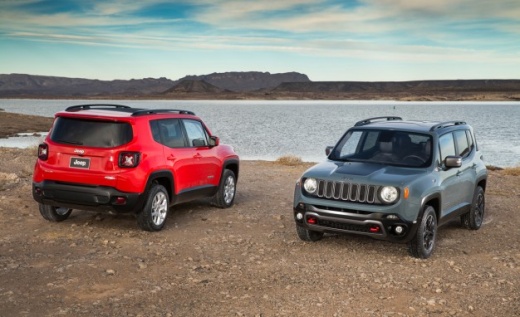
How to Replace the Rear Wiper on a Jeep Renegade
Model: Jeep Renegade
MK 1, BU, 520
- Years:
2014, 2015, 2016, 2017, 2018, 2019, 2020, 2021, 2022, 2023, 2024, 2025
Video tutorial
To replace the rear wiper on a Jeep Renegade, lift the wiper arm from the rear window until it is in the working position. Locate the wiper blade fastening system and slightly rotate the wiper to facilitate release. Press the locking tab or slide the blade down, depending on the type of attachment, to remove it from the arm. Then take the new compatible wiper and attach it to the mount until you hear the locking click. Ensure the blade is securely attached by pulling it slightly and carefully return the arm to the glass to avoid damaging the rear window.
Posted on 22 May 2026 by ScegliAuto
Related tutorials
Jeep Renegade
(2014-2026 /
MK 1, BU, 520)
To replace the front wiper blades on a Jeep Renegade, you only need two minutes and, of course, new blades. The video author recommends Bosch blades,…

Jeep Renegade
(2014-2026 /
MK 1, BU, 520)
Replacing the rear wiper blade on the Jeep Renegade is a very simple and quick operation. First, you will need a 25 cm replacement blade, easily avai…

Jeep Renegade
(2014-2026 /
MK 1, BU, 520)
Today we will explain how to replace the front and rear windshield wiper blades of the Jeep Renegade. To perform this operation, we need to lift the …
Other guides you may be interested in
|
How to Activate the Disabled TRC on the Toyota Yaris?
As the video clearly shows, disabling or activating the traction control (TRC or ESP) on the Toyota Yaris is very simple. By default, the traction system activates every time the vehicle is started. To disable it, simply press the button depicting a skidding car located in the centre of the vehicle where the controls are, such as the hazard lights and the radio, but near the handbrake. Once disabled, the TRC off light will illuminate on the dashboard. To reactivate it, just press the same button again. by ScegliAuto More videos
|
|
For advertising on this site Write to info@scegliauto.com
ScegliAuto is not responsible for any inaccuracy of the data in the lists. To report any inaccuracy or your business (if you own the business in question), please write to info@scegliauto.com
Number of seconds to generate the page: 0.047
(c) ScegliAuto 2026 - info@scegliauto.com - Privacy policy VAT number: IT01247470535 |
