
|
Do it yourself
| |||
| ||||


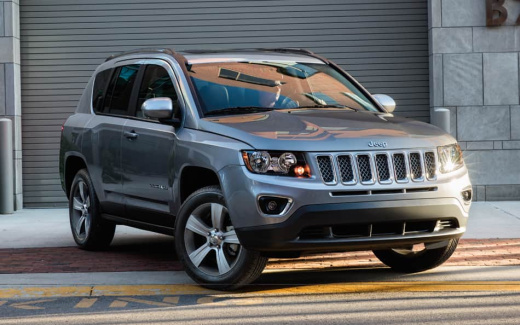
How to reset the service light on the Jeep Compass 2022?
Model: Jeep Compass
552, MK 2
- Years:
2016, 2017, 2018, 2019, 2020, 2021, 2022, 2023, 2024, 2025
Video tutorial
Once the maintenance service is due, the service light and a message describing the issue will appear on the dashboard of the Jeep Compass 2022. After completing the tasks outlined in the vehicle's user manual, proceed to clear the light, exactly as shown in the video, which also includes a verbal description. With the ignition on, press the accelerator pedal and simultaneously press the brake seven times, continue holding the accelerator for another 60 seconds, and finally release it, turning off the ignition as well. Sequence complete.
Updated on 7 October 2026 by ScegliAuto
Related tutorials
Jeep Compass
(2016-2025 /
552, MK 2)
To reset the service light on a Jeep Compass, connect a diagnostic tool to the vehicle's OBD port, located just below the steering column. Once conne…

Jeep Compass
(2016-2025 /
552, MK 2)
To reset the Service light on a Jeep Compass, turn on the ignition by inserting the key into the corresponding switch: once the ignition is on, scrol…

Jeep Compass
(2016-2025 /
552, MK 2)
To reset the Service light on a Jeep Compass, start by turning on the ignition to check that the light is present on the instrument cluster. Once the…
Other guides you may be interested in
|
Frequently Asked QuestionsHow to Activate the Automatic Folding and Unfolding of the Wing Mirrors on the Jeep Compass
Follow these brief instructions to activate the automatic folding and unfolding of the external wing mirrors on the Jeep Compass. First, get inside the vehicle and turn on the ignition; then press the button located beneath the mirror glass adjustment to electrically open the mirror, as shown in the video. Pressing the button in the opposite direction will close the mirrors; by holding the button, the mirrors will open and close automatically! by ScegliAuto More videos
|
|
For advertising on this site Write to info@scegliauto.com
ScegliAuto is not responsible for any inaccuracy of the data in the lists. To report any inaccuracy or your business (if you own the business in question), please write to info@scegliauto.com
Number of seconds to generate the page: 0.017
(c) ScegliAuto 2026 - info@scegliauto.com - Privacy policy VAT number: IT01247470535 |
