
|
Do it yourself
| |||
| ||||


Model: Kawasaki Zx 6r
In this tutorial, we will see how to set the time on a Kawasaki ZX-6R, a very simple and quick operation to perform, for example, after disconnecting the battery or when switching to daylight saving time. First, insert the key, then turn on the instrument panel and hold both buttons on the dashboard until the clock starts flashing. Next, press the lower button to switch to the hour, adjust it with the upper button, and, using the lower button, switch to the minutes. Once the minutes are set, save the setting by pressing the lower button first and then the upper button.
Posted on 21 February 2026 by ScegliAuto
Video tutorial
Related tutorials
Zx 6r
In this tutorial, we can see how to adjust the time on the Kawasaki ZX-6R, an extremely simple and quick operation to perform, for example, after dis…

Zx 6r
In order to replace the Kawasaki ZX-6R engine oil, you need to loosen the screw that fixes the oil drain plug, which is located in the lower central …
Zx 6r
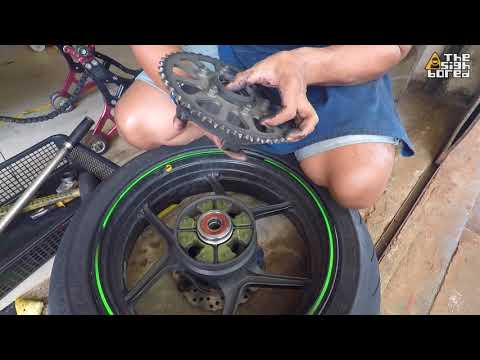
Let's find out in this guide how to disassemble and replace the rear wheel bearing of the Kawasaki Zx 6R, following the instructions below. First of …
|
How to Update the Time on a Honda CBR 600 RR
In this video, we will see how to update the clock on the Honda CBR 600RR: turn on the ignition by turning the key to position one, then use the two buttons located on the left side of the dial. Press and hold both buttons for a few seconds to enter the mode that allows you to change the time, which will be indicated by the time, located at the bottom right of the dial, just below the total mileage, starting to flash. Change the hour using the two buttons: the upper button will allow you to change the hour, and pressing it will increment the number by one, while holding it will speed up the change. Pressing the upper button will switch to minutes, and repeat the operation. Confirm with the upper button. by ScegliAuto More videos
|
|
For advertising on this site Write to info@scegliauto.com
ScegliAuto is not responsible for any inaccuracy of the data in the lists. To report any inaccuracy or your business (if you own the business in question), please write to info@scegliauto.com
Number of seconds to generate the page: 0.007
(c) ScegliAuto 2026 - info@scegliauto.com - Privacy policy VAT number: IT01247470535 |
