
|
Do it yourself
| |||
| ||||


|
In this video, you will learn how to replace the key battery of the Kia Niro. The process is quite simple. Take the key from the logo side and press the button located at the bottom centre. Remove the metal part used to manually open the door. Using a flathead screwdriver, apply slight pressure on the slot found inside and gently open the cover from the side of the switches. Inside, you will find a transparent pocket containing the battery. Remove it and insert the new one in the same orientation. At this point, close the casing by reversing the steps.
Updated on 27 June 2026 by ScegliAuto
Video tutorial
Related tutorials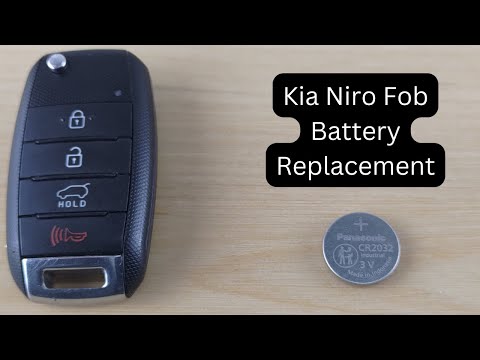
Kia Niro
(2016-2023 /
MK 1)
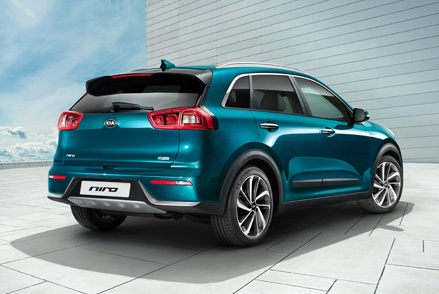
In this new mini guide aimed at all of you who own a first-generation Kia Niro, we will discover the steps you need to follow if you want to complete…

Kia Niro
(2021-2026 /
SG2)
To replace the battery of your Kia Niro Mk2 key, simply follow these steps. First, you need to purchase a new CR2032 battery, then remove the physica…

Kia Niro
(2016-2023 /
MK 1)
In order to replace the battery of the Kia Niro remote control, you need to remove the key that is located inside the device by pulling it out from i…
Other guides you may be interested in
|
How to Replace the External Wing Mirror on a Ford C MAX
In the event of a breakage, it will be necessary to replace the external wing mirror on the 2011 Ford C MAX. This operation is easily performed independently. Start by removing the internal cover of the mirror with a plastic lever. Then, use a socket wrench to remove the securing pins. Once the pins are removed, you can take off the mirror, but not before disconnecting the power connectors. Then proceed to fit the new mirror. First, connect the connectors and then secure the mirror to its housing with the pins. Refit the plastic cover and test the operation of the electric mirror using the controls. by ScegliAuto More videos
|
|
For advertising on this site Write to info@scegliauto.com
ScegliAuto is not responsible for any inaccuracy of the data in the lists. To report any inaccuracy or your business (if you own the business in question), please write to info@scegliauto.com
Number of seconds to generate the page: 0.371
(c) ScegliAuto 2026 - info@scegliauto.com - Privacy policy VAT number: IT01247470535 |
