
|
Do it yourself
| |||
| ||||


How to reset the Service light on a KTM Superduke 1290 R?
Model: Ktm Superduke 1290 R
Video tutorial
You can clear the Service light displayed on the instrument panel of the KTM Superduke 1290 R by turning on the ignition, inserting the key into the corresponding ignition switch: once the ignition is on, press the SET button on the left side of the handlebars and scroll through the menu that appears on the panel. Then, you can hold down the up and down arrow buttons together to access the "RESET SERVICE" screen: you can then change the kilometres to be travelled before the light is displayed again to make the light disappear.
Posted on 1 November 2026 by ScegliAuto
Related tutorials
Superduke 1290 R
In this tutorial, you will see how to reset the service on the KTM Superduke 1290 R, a very simple and quick operation to perform only after completi…

Superduke 1290 R
In this tutorial, you will see how to replace the battery in the KTM Superduke 1290 R, a very simple and quick operation. First, ensure that the key …

Superduke 1290 R
To replace the battery on a KTM Superduke 1290 R, loosen the screws that secure the seat to its housing: once it is removed, you can locate the devic…
|
How to Remove the Front Headlight on a Piaggio Vespa GTS 300 - Super - HPE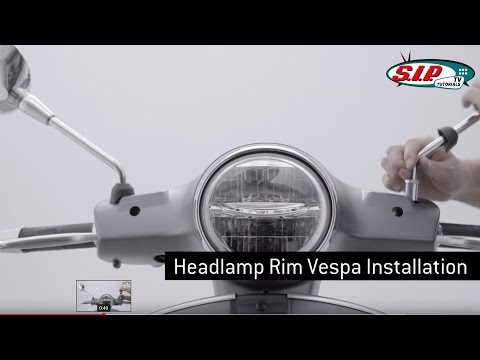
In this brief and simple guide, you will find instructions to remove and replace the front headlight of the Piaggio Vespa GTS 300 scooter, as well as the Super and HPE models. First, place the scooter on its central stand and start by removing the manufacturer's badge found on the front panel. Then, unscrew the fixing screws located under the headlight and on the side, also removing the mirrors to take off the headlight cover, as shown in the video. At this point, disconnect the electrical connector of the bulb to remove the headlight from the cover, replacing it with the new one! by ScegliAuto More videos
|
|
For advertising on this site Write to info@scegliauto.com
ScegliAuto is not responsible for any inaccuracy of the data in the lists. To report any inaccuracy or your business (if you own the business in question), please write to info@scegliauto.com
Number of seconds to generate the page: 0.007
(c) ScegliAuto 2026 - info@scegliauto.com - Privacy policy VAT number: IT01247470535 |
