
|
Do it yourself
| |||
| ||||


How to Adjust the Clock on a Kymco Xtown 125?
Model: Kymco Xtown 300
Video tutorial
Let's learn about the controls that allow us to adjust the clock on the Kymco Xtown 125. This information is displayed on the instrument cluster, so we will focus on that, along with a detailed overview of the entire scooter provided in the attached video. Proceed with the setting: set the display to Odo mode, then press and hold the Mode button for a few seconds, wait for the hour digit to flash, and use the Reset button to make the adjustment. To switch from Hours to Seconds, press Mode again and repeat the same procedure described earlier.
Posted on 9 April 2026 by ScegliAuto
Related tutorials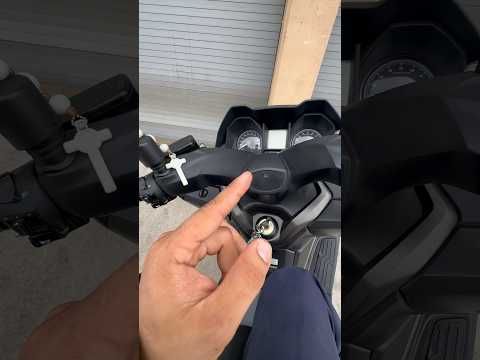
Xtown 300
To set the clock on the Kymco Xtown 300, press and hold the button located on the left side of the instrument panel, just below the speedometer; cont…

Xtown 300
It is possible to make the Service light indicated on the instrument panel of the Kymco Xtown 300 disappear completely by turning on the ignition wit…

Xtown 300
If you want to manually change the time displayed on the central dashboard of your Kymco XTown 300, follow these steps. First, insert the key and tur…
|
Replacing the battery on a Kawasaki Z750
To change the battery on a Kawasaki Z750, remove the passenger seat section to access the rider's seat. Use an Allen key to unscrew the six screws securing the bracket underneath and move it to the side. Remove the battery from its housing and unscrew the terminals, starting with the positive terminal. Remove the old battery and replace it with a new one of the same size and specifications. Reattach the terminals, starting with the negative terminal, place the battery back in its housing, reposition the bracket and secure it with its screws, then reinstall both sections of the seat. by ScegliAuto More videos
|
|
For advertising on this site Write to info@scegliauto.com
ScegliAuto is not responsible for any inaccuracy of the data in the lists. To report any inaccuracy or your business (if you own the business in question), please write to info@scegliauto.com
Number of seconds to generate the page: 0.007
(c) ScegliAuto 2026 - info@scegliauto.com - Privacy policy VAT number: IT01247470535 |
