
|
Do it yourself
| |||
| ||||


|
Model: Kymco Xtown 300
To set the clock on the Kymco Xtown 300, press and hold the button located on the left side of the instrument panel, just below the speedometer; continue holding it until the hours start to flash. You can modify the hours with repeated presses of the button on the right side of the instrument panel; after changing the hours, press the button on the left again, noting that the minutes will now flash. These can also be modified as before, then turn off the instrument panel.
Updated on 11 September 2026 by ScegliAuto
Video tutorial
Related tutorials
Xtown 300
Let's learn about the controls that allow us to adjust the clock on the Kymco Xtown 125. This information is displayed on the instrument cluster, so …

Xtown 300
Below are the instructions to reset the engine fault light on the Kymco Xtown 300 scooter. First, open the seat and unscrew the screws securing the u…

Xtown 300
To replace the transmission on a Kymco XTown 300, loosen the screws securing the transmission cover located on the left side of the bike near the rea…
|
How to Change the Engine Oil on a Beta RR 125?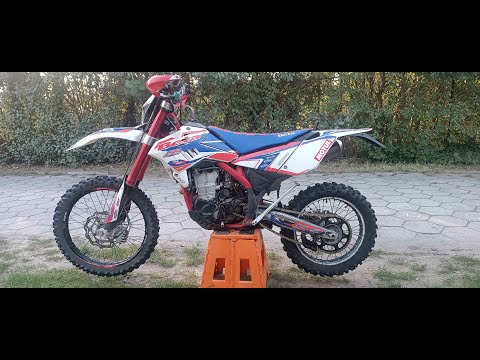
To change the engine oil on a Beta RR 125, loosen the drain plug located at the bottom centre of the bike. Once removed, collect all the used oil in a suitably positioned container. After the oil has completely drained, remove the oil filter next to the drain plug to replace it with a new part. Now, refill by adding the necessary amount of oil through the hole on the right side of the engine casing. by ScegliAuto More videos
|
|
For advertising on this site Write to info@scegliauto.com
ScegliAuto is not responsible for any inaccuracy of the data in the lists. To report any inaccuracy or your business (if you own the business in question), please write to info@scegliauto.com
Number of seconds to generate the page: 0.007
(c) ScegliAuto 2026 - info@scegliauto.com - Privacy policy VAT number: IT01247470535 |
