
|
Do it yourself
| |||
| ||||


|
Model: Kymco Downtown 300i
In this video, we will go through the steps to remove and replace the rear brake pads on a Kymco Downtown 300i ABS scooter. First, place the scooter on the centre stand and unscrew the two bolts securing the rear brake caliper using a socket spanner; then remove the caliper from the disc and extract the old pads, as shown in the video. At this point, clean the caliper of any carbon residue and push the piston back in to facilitate the insertion of the new pads!
Updated on 15 April 2026 by ScegliAuto
Video tutorial
Related tutorials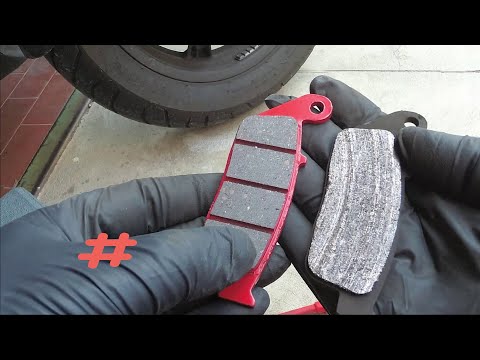
Downtown 300i
In today's tutorial, we will see how to remove and replace the front brake pads on a Kymco Downtown 300i scooter, in simple steps. First, position th…

Downtown 300i
It will be possible to replace the front brake pads of the Kymco Downtown 300i by unscrewing the screws that secure the brake caliper to the correspo…

Downtown 300i
First, sit on the seat of your Kymco Downtown 300i. Start by activating the instrument panel by turning the key in the ignition switch. Next, press a…
|
How to Replace the Front Headlight on the Husqvarna 701?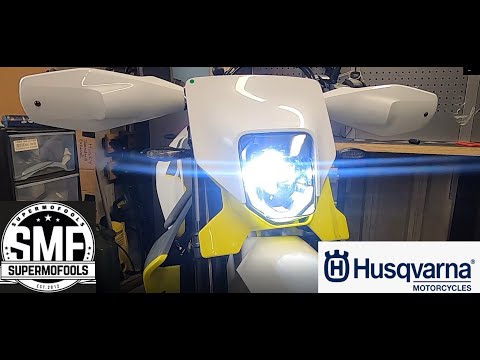
In this tutorial, you will see how to replace the front headlight on the Husqvarna 701, a very simple and quick operation. First, ensure that the key is not inserted, then position yourself in front of the motorcycle, locate the four bolts on either side of the headlamp, and unscrew them using a Torx T30 key. Next, pull the entire assembly towards you, separate it from the support, and disconnect the power connector. At this point, you can separate the headlight from the panel, position the replacement, and reassemble everything by following the reverse procedure. by ScegliAuto More videos
|
|
For advertising on this site Write to info@scegliauto.com
ScegliAuto is not responsible for any inaccuracy of the data in the lists. To report any inaccuracy or your business (if you own the business in question), please write to info@scegliauto.com
Number of seconds to generate the page: 0.008
(c) ScegliAuto 2026 - info@scegliauto.com - Privacy policy VAT number: IT01247470535 |
