
|
Do it yourself
| |||
| ||||


|
Model: Kymco Downtown 300i
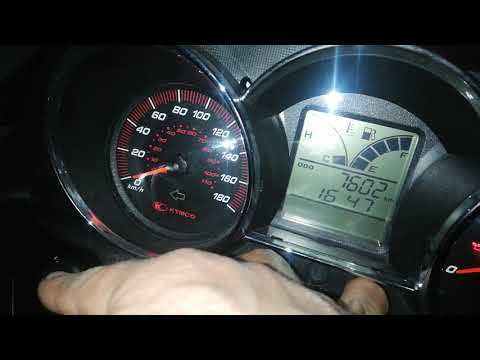
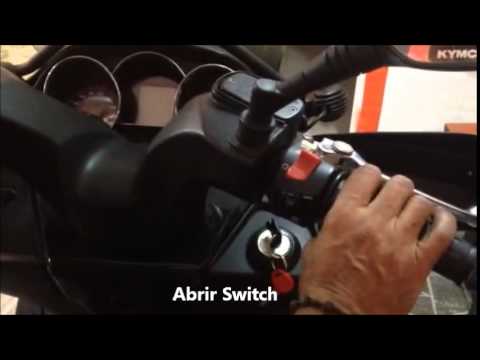
To reset the "SERVICE OIL" light on the Kymco Downtown 300i, follow this procedure. Insert the key and turn on the ignition (but not the engine), press and hold the "ADJ" button on the dashboard until the trip mileage for the service is displayed. Turn off the ignition, and while it is still off, press and hold both the "ADJ" button and the "MODE" button, also on the dashboard. Now, while holding both buttons, turn on the ignition. If done correctly, the light will turn off.
Updated on 26 June 2026 by ScegliAuto
Video tutorial
Related tutorials
Downtown 300i
First, sit on the seat of your Kymco Downtown 300i. Start by activating the instrument panel by turning the key in the ignition switch. Next, press a…
Downtown 300i
This guide outlines the procedure necessary to reset the service light for the regular oil change maintenance on the Kymco Downtown 300i scooter. Fir…
Downtown 300i
This guide shows how to reset the service light for the regular oil change maintenance on the Kymco Downtown 300i scooter. First, turn on the ignitio…
|
Where are the fuses located on the Piaggio Vespa GTS 125?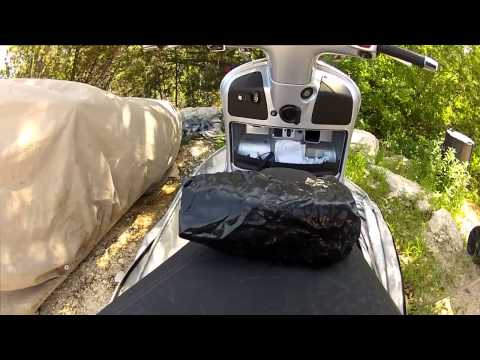
The fuses of the Piaggio Vespa GTS 125 are located inside the front fairing of the scooter: to access the fuse box, press the ignition switch fully. This will cause the panel located immediately below the ignition switch to open: the fuse box will be positioned inside this panel, in the upper left area. Inside the box, you will find the fuses that control the operation of the front headlamp, the horn, the ABS, etc. After removing the damaged old fuse, insert a new one with the same amperage. by ScegliAuto More videos
|
|
For advertising on this site Write to info@scegliauto.com
ScegliAuto is not responsible for any inaccuracy of the data in the lists. To report any inaccuracy or your business (if you own the business in question), please write to info@scegliauto.com
Number of seconds to generate the page: 0.009
(c) ScegliAuto 2026 - info@scegliauto.com - Privacy policy VAT number: IT01247470535 |
