
|
Do it yourself
| |||
| ||||


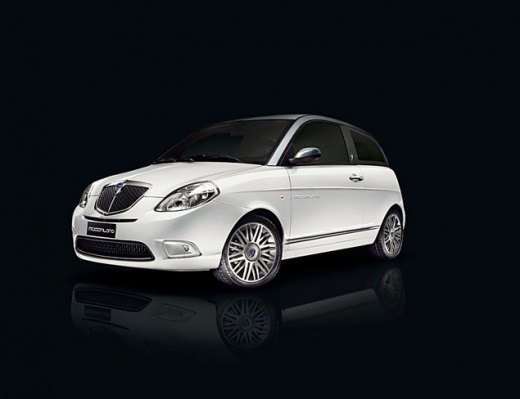
How to Replace the Door and Other Parts on a Lancia Ypsilon with Recycled Parts
Model: Lancia Ypsilon
Y2, MK 2, 843, Ypsilon 2
- Years:
2003, 2004, 2005, 2006, 2007, 2008, 2009, 2010, 2011
Video tutorial
This video shows how to replace damaged parts on a Lancia Ypsilon. The video covers repaired parts, but in our case, they can easily be parts sourced from a scrap dealer that are compatible with our vehicle model. This is an excellent method that allows us to effectively repair an older vehicle without spending too much money, while ensuring it is not driven in a severely damaged condition. These are simple part replacement operations, without further mechanical interventions or bodywork modifications.
Updated on 21 August 2026 by ScegliAuto
Related tutorials
Lancia Ypsilon
(2003-2011 /
Y2, MK 2, 843, Ypsilon 2)
Before you can start, open the door of your Lancia Ypsilon. Begin by unscrewing and removing the screws that secure the door panel to the door itself…

Lancia Ypsilon
(2011-2023 /
846, Ypsilon 3, Y3, MK 3)
To replace the radio in a Lancia Ypsilon, extract the radio from its housing by simply pulling it out and disconnecting the connectors attached to it…

Lancia Ypsilon
(2011-2023 /
846, Ypsilon 3, Y3, MK 3)
In today's video, you will see how to replace the cabin air filter in the Lancia Ypsilon. First, open the passenger side door. Then open the glove co…
Other guides you may be interested in |
Frequently Asked QuestionsHow to Set the Time in an Audi A4?
In this tutorial, you will see how to set the time in an Audi A4, a very simple and quick operation to perform after replacing the battery or when the time changes. First, insert the key and turn on the instrument cluster. Then, press the "SETUP" button located on the center console. Next, press the upper left arrow button, navigate to the "Time" option, and use the central knob to adjust the clock. Finally, set any necessary formats and save by returning to the main screen. by ScegliAuto More videos
|
|
For advertising on this site Write to info@scegliauto.com
ScegliAuto is not responsible for any inaccuracy of the data in the lists. To report any inaccuracy or your business (if you own the business in question), please write to info@scegliauto.com
Number of seconds to generate the page: 0.024
(c) ScegliAuto 2026 - info@scegliauto.com - Privacy policy VAT number: IT01247470535 |
